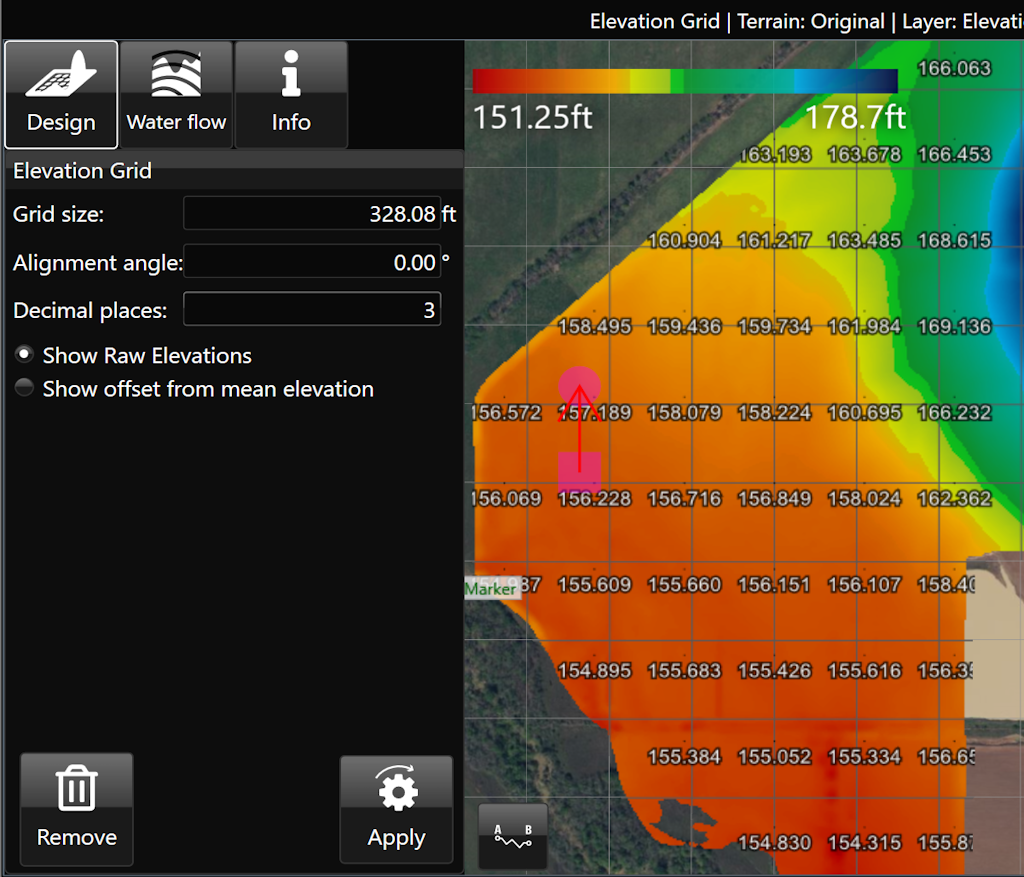
Elevation Grid
The ‘Elevations guide’ imposes a grid design on a field in the working area and displays the elevation of points at each junction on the grid.
- ‘Grid cell size’. This option controls the size of the grid. Setting the size to 100m will result in each junction being 100 meters away from its neighbors.
- ‘Alignment angle’ is a method of rotating the grid.
- ‘Decimal places’. Sets how many decimal places will be visible on the grid values.
- ‘Show Raw Elevations’ and ‘Show offset from mean elevation’: These options will adjust what data is present on the grid.