
6.4 | Image Overlays
Image overlays imports geo-referenced image data into a field.

To access the image overlay, press the view button on the top of the screen.
Load image
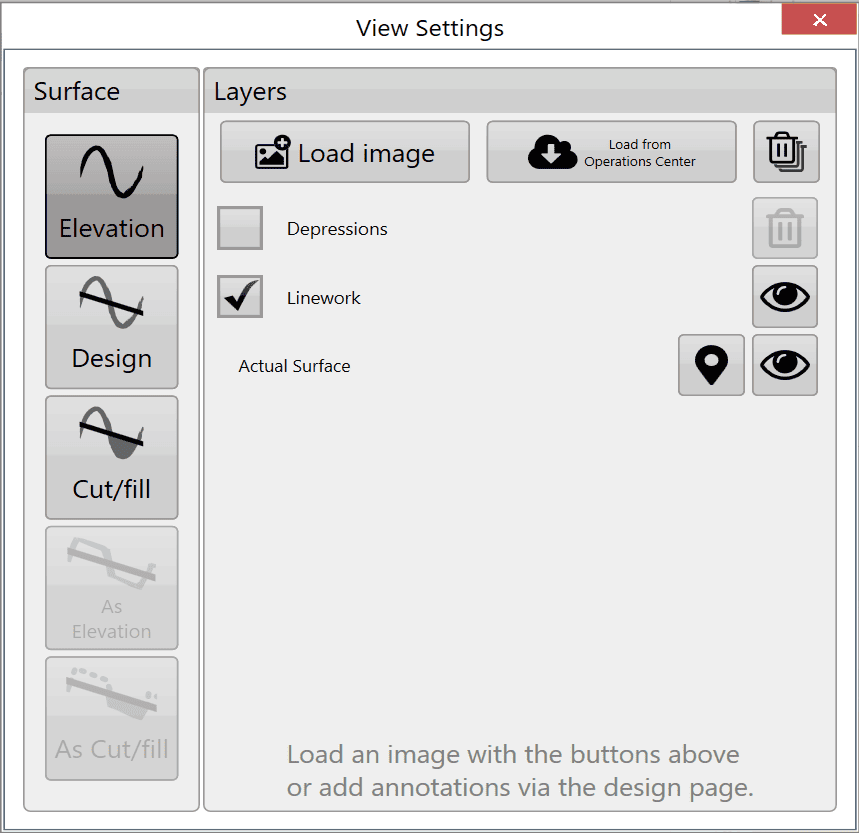
Use Load image as the primary method of adding overlay images to the field. Press the button to open a file window, then select the desired file. Supported overlay image types are .KML, .TIFF, .JPG, .JPEG, .PNG, .GIF, .BMP, .JSONGRID and .KMZ.
Load image from JDOC
Download images from the John Deere Operations Center into the image overlay to compare previous data, such as yields, with current survey data.
Delete images

To delete an overlay image, uncheck the box next to it, then press the delete images button. This removes the layer from the available list. Images can only been deleted if they are not selected in check box and currently visible.
Transparency

To see the layers below an overlay image, check the box to the left of its layer, then press the transparency button on the right side.
Layers
Press a layer to display it over the other layers.