5.4 | Limits Tab
Blade shift increment
Blade Shift Increment sets the height adjustment applied by the up/down elevation adjustment buttons in the implementation wizard step.
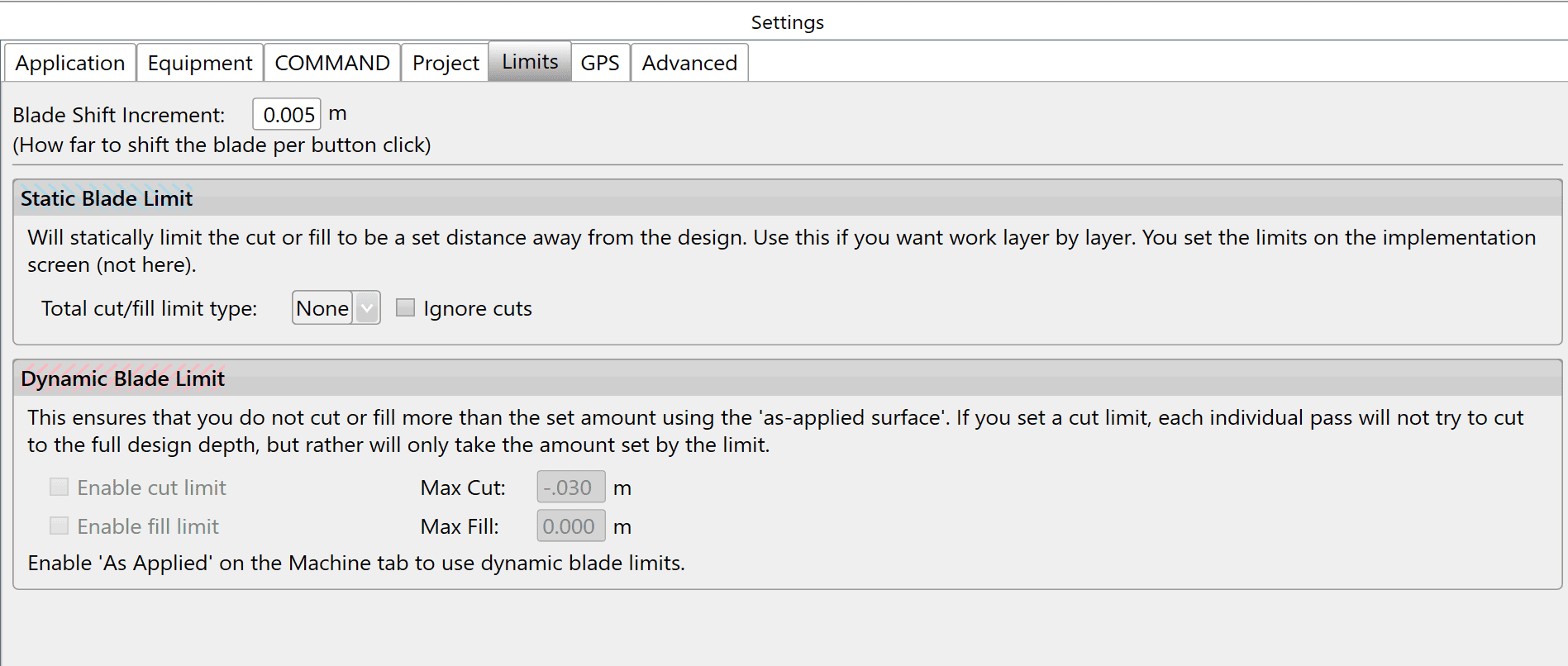 Limits tab with Blade Shift Increment, Static Blade Limit and Dynamic Blade Limit controls; As Applied is required
NOTE — The recommended blade shift increment is 0.03 - 0.06 feet (0.4 - 0.8 inches, or 0.01m - 0.02m).
Static blade limit
Static Blade Limit temporarily changes target design heights by a specified amount. At 50%, target cut and fill heights become 50% of the design values. It can also overfill a design by a percentage to allow for soil to sink over time: at 110%, a 100mm fill becomes 110mm to allow for future compaction.
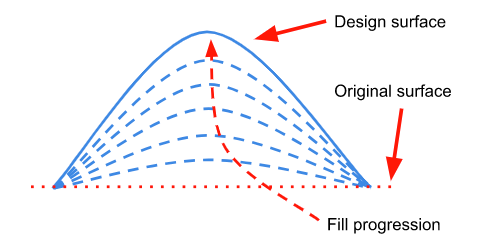
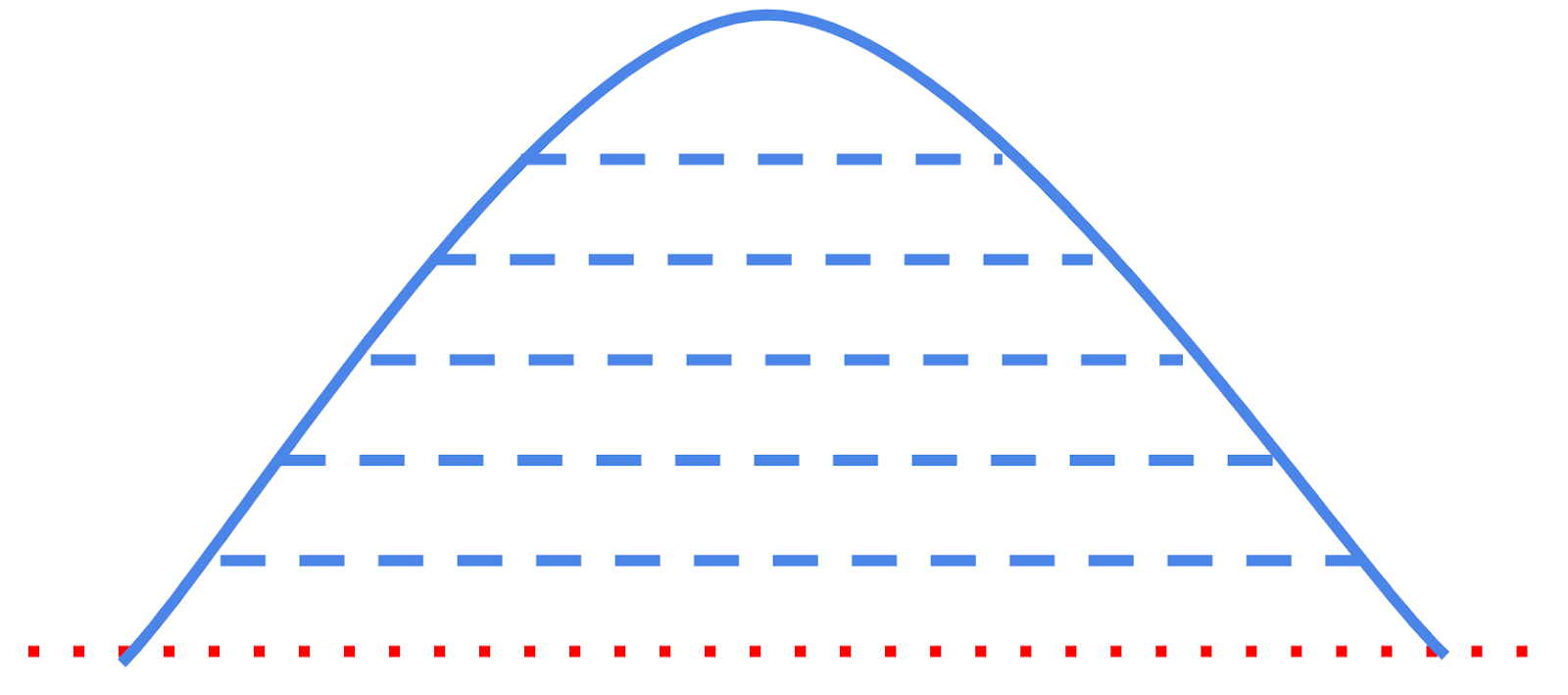
Build banks, roads or mounds in gradual steps to allow even compaction of dirt.
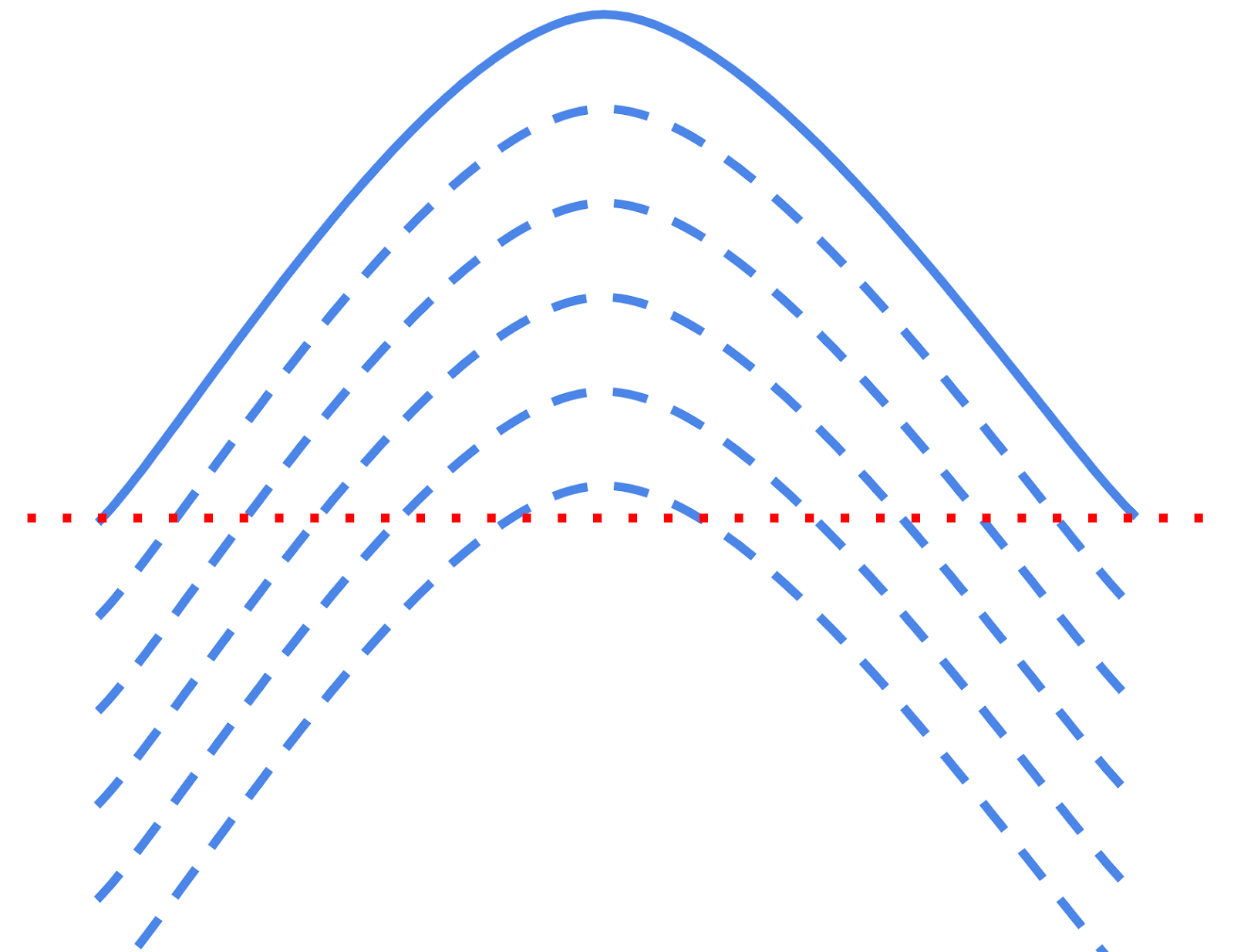
Ignore cuts is useful when gradually building a mound. Use the vertical nudge to lower the design surface below the current surface, then slowly nudge it upwards so filling begins at the apex and proceeds outwards. In this case, avoid cutting where the nudged mound design is below the original surface. NOTE: Ignore cuts can be activated even when Static Blade Limit is set to “None”.
Set the static blade limit amount on the implementation screen.
Methods for progressively adding layers of dirt to a fill area