
3.6 | Advanced Settings Tab
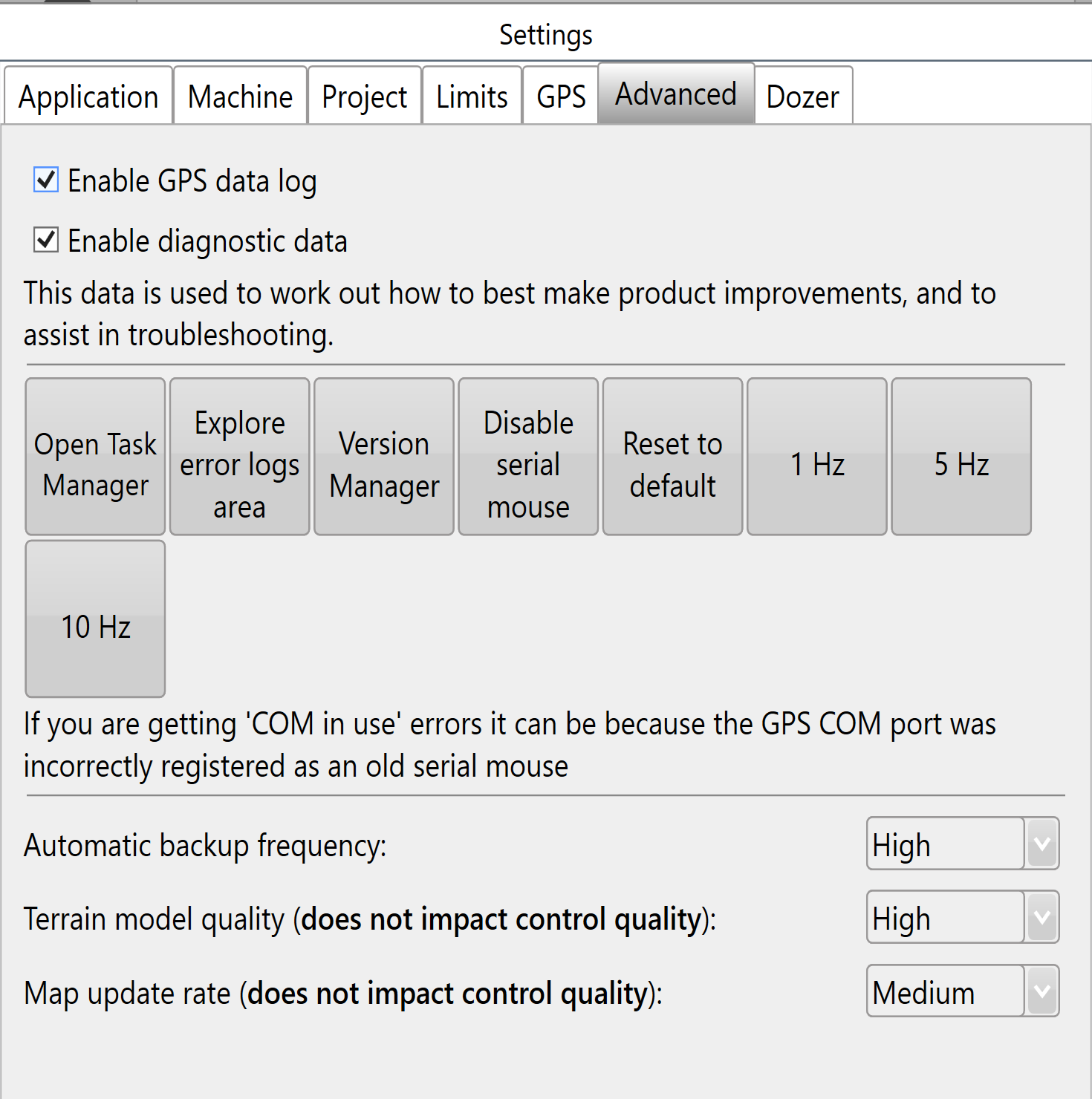
Logging
Enable GPS data log
Keeping this enabled is highly recommended. The GPS data log accompanies error reports to help find a solution.
Enable diagnostic data
Keeping this enabled is highly recommended: the collected data helps support assist you when issues occur.
Troubleshooting tools
Open Task Manager opens the computer's task manager tool, which displays all systems currently running on the computer.
Explore error logs area opens the Windows folder on the tablet containing all error log files. If an issue occurs, send support the latest file to help identify and correct the cause quickly.
Version Manager
Use Version Manager to downgrade the software version if you experience a particularly bad error. Adding a support request when you use this is highly recommended.
Disable serial mouse
Disabling the serial mouse can correct a cursor that jumps around the screen or “COM in use” errors.
Reset to Default resets all settings to default.
GPS output rate
1Hz, 5Hz, 10Hz send messages to iGrade to control the output rate of GPS NMEA data.
Experimental function: Use these buttons only if you accept that the system may not behave as expected. The buttons may also be removed in future versions.
Backup and display settings
Automatic backup frequency is a drop-down menu for changing how often T3RRA Software backs up your work. Options are Never, Low, Medium and High.
Terrain model Quality defaults to High. Its effect is most visible on surfaces in 3D: lowering it may smooth out displayed details. The details and depressions remain, but are not represented in the 3D display.
Map update rate changes how often the map updates during Surveying and Implementation.