
Updating T3RRA Software
T3RRA regularly releases software updates to improve reliability, introduce new features and enhance compatibility with supported hardware. Keeping your software up to date ensures you have access to the latest improvements and bug fixes.
Checking for Updates
Each time T3RRA software starts, it checks whether a newer version is available. This check only occurs when the tablet has an active internet connection.
If an update check is performed, a brief notification will appear in the lower-left corner of the main window indicating either:
- Your software is already up to date.
- A newer software version is available for download.
Installing an Update
To manually check for and install updates:
- Open Settings.
- Select the Application tab.
- Click Download Updates.
If an update is available, it will begin downloading immediately.
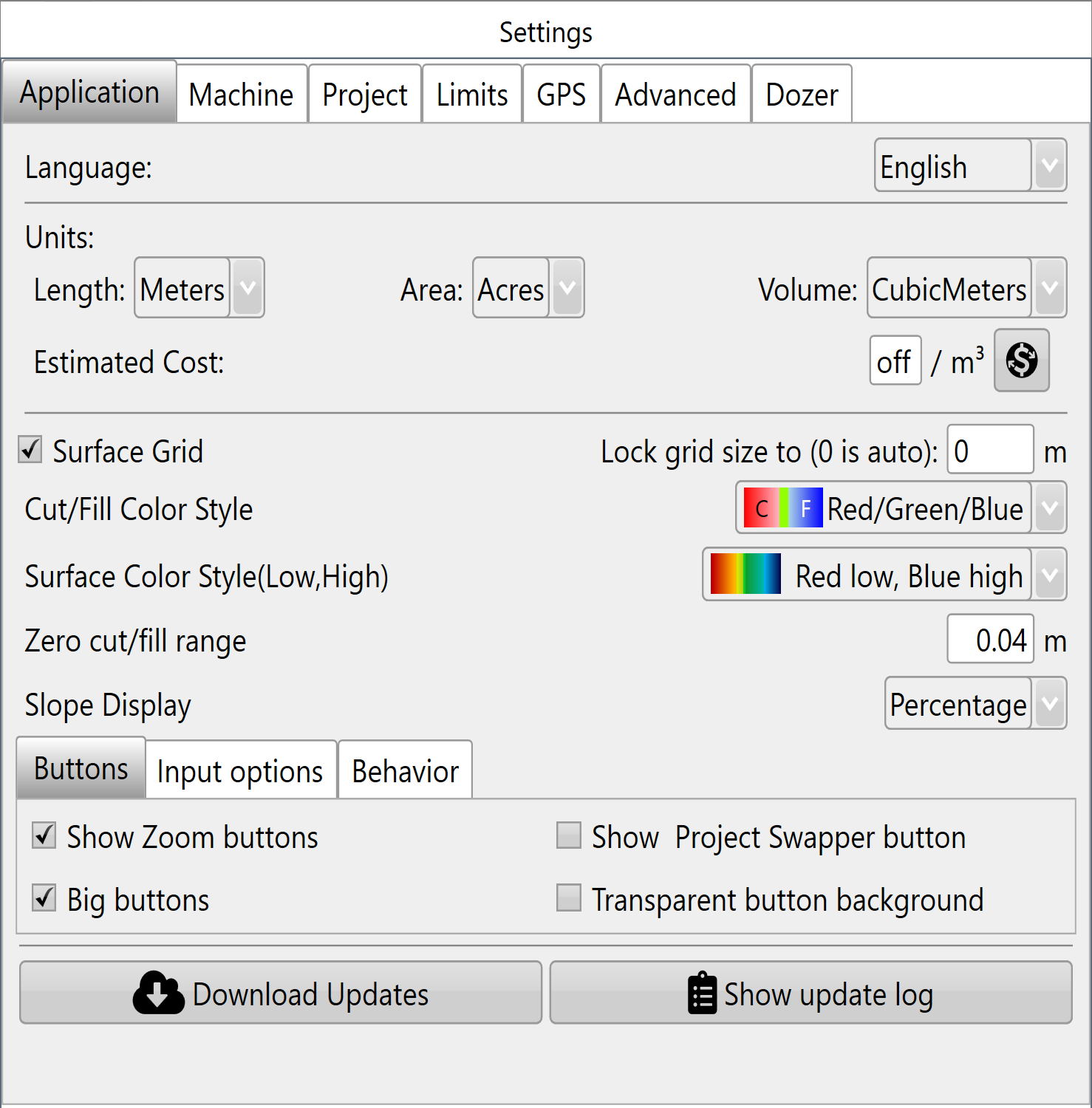
A progress window will display the download status. Once the download is complete, you will be prompted to close and restart T3RRA software to complete the installation.
Important: Before restarting the software, ensure any work in progress has been saved. A reliable internet connection is recommended when downloading updates.
When Should You Update?
As a general rule, avoid updating software while actively working in the field.
We recommend installing updates:
- Before the start of an earthmoving season.
- Between jobs.
- When advised by your T3RRA dealer or support representative.
- When an update addresses a problem you have experienced or introduces functionality you require.
If your current software version is operating reliably and no update is required for your application, there is generally no need to update immediately.
Reverting an Update
In the unlikely event that an update causes unexpected issues, previous software versions can be restored.
Software rollback should only be performed under the guidance of T3RRA or your authorised dealer. If assistance is required, please contact T3RRA Technical Support before attempting to revert to an earlier software version.