COMMAND Settings - Admin
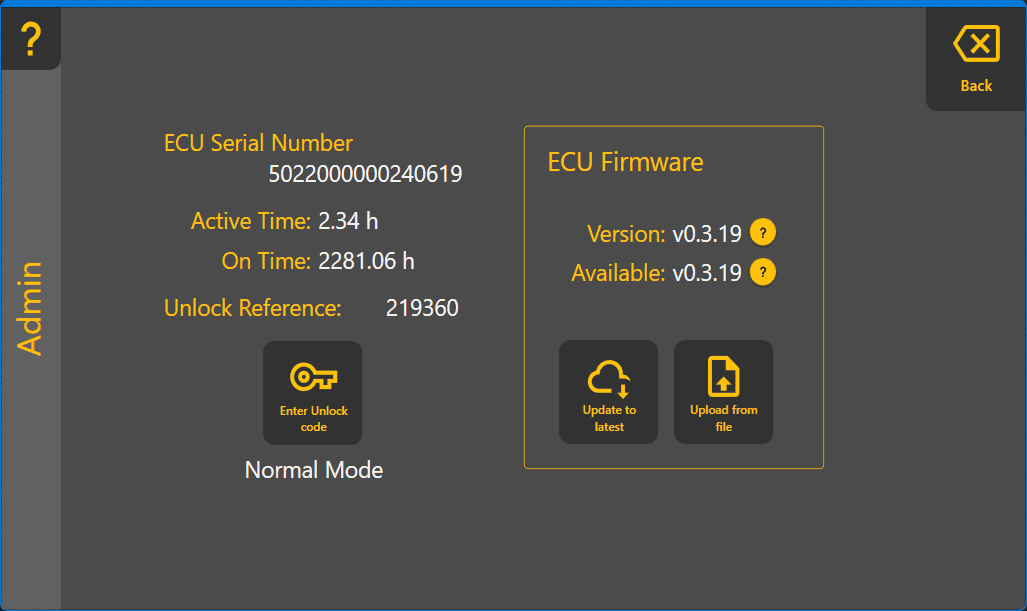
In the COMMAND Admin page you can enter your COMMAND unlock code and update firmware if required. You can also see how many hours the COMMAND controller has been running and actively controlling. Firmware updates are infrequent, but you'll be prompted to update if required.
Your dealer should help your unlock code, but if you need to enter it yourself, ensure your GPS is connected and working, then tap on the "Enter Unlock code" button and type it in. If everything goes well, when you tap OK, you'll be unlocked and ready to go.
To update firmware, you'd normally tap the "Update to latest" button and follow the prompts. It's important to keep power on during updating. If power is lost half-way through an update, the COMMAND unit may become inoperative, so be careful!