
Updating T3RRA Software
TheT3RRA regularly releases software developersupdates atto improve reliability, introduce new features and enhance compatibility with supported hardware. Keeping your software up to date ensures you have access to the latest improvements and bug fixes.
Checking for Updates
Each time T3RRA have many faults. One of them is that we love tinkering with our software in an effort to makestarts, it better.checks In order to allow our users to benefit from our latest efforts we’ve built-inwhether a system to allow users to update the software whenever a new fix or feature is available.
How do you know an update is available?
The software will check on startup to see if an updatednewer version is available. This check only happensoccurs ifwhen the tablet on which it is running has an active internet connection.
If so,an oneupdate ofcheck twois messagesperformed, a brief notification will be displayed brieflyappear in the bottom lower-left corner of the main window.window Oneindicating willeither:
Installing an Update
To manually check for and noinstall updateupdates:
If an update is availableavailable, the message will indicate the version number of this update.
How do you update?
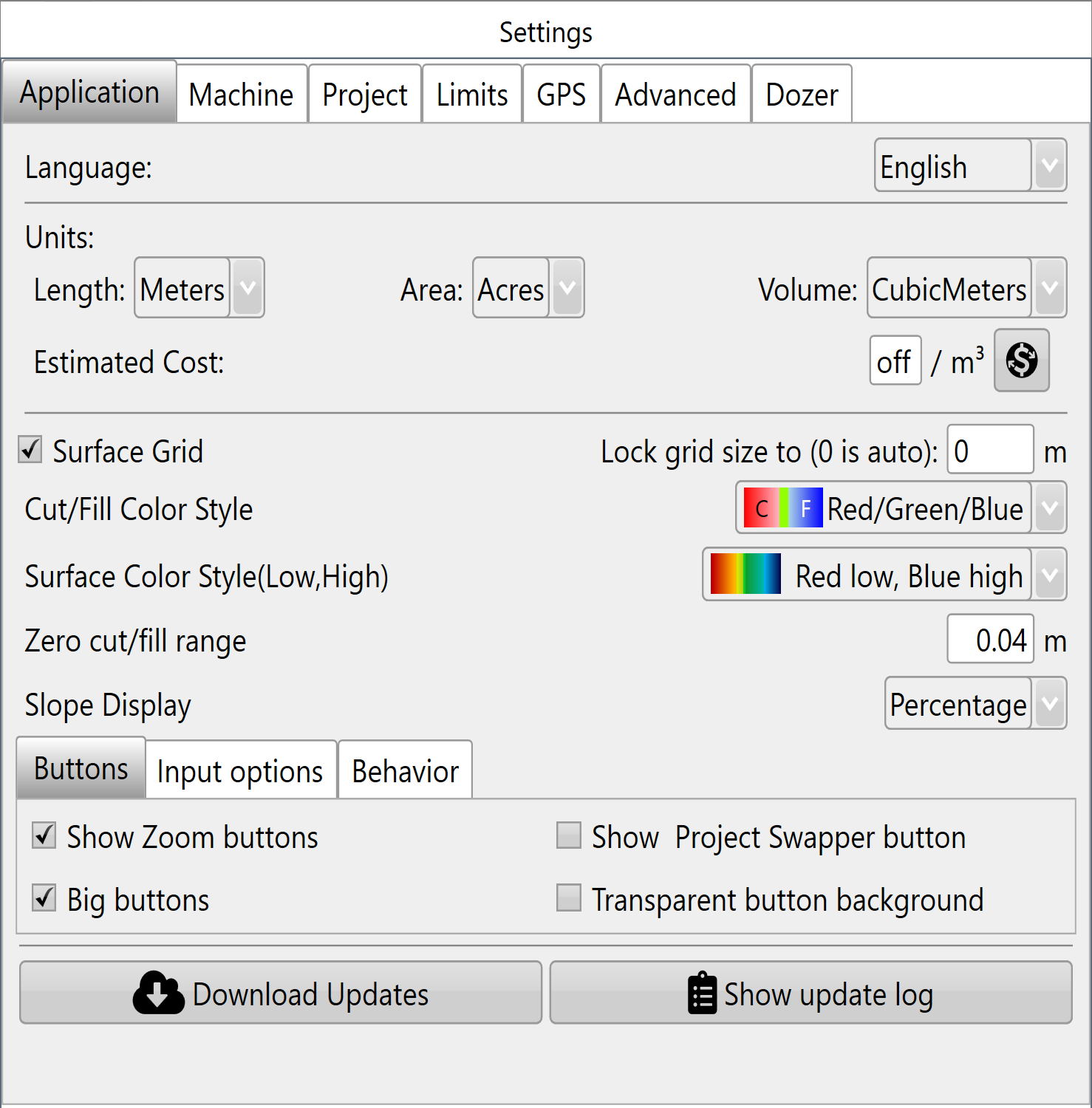
A progress window will appear showingdisplay the progressdownload ofstatus. Once the download.download Whenis completecomplete, you will be prompted to close theand restart T3RRA software andto re-opencomplete it.the installation.
Important: Before restarting, make sure you've saved anything you were working on. One you've restarted,restarting the upgradesoftware, processensure willany bework complete.in progress has been saved. A strongreliable internet connection is recommended forwhen updating.downloading updates.
When shouldShould youYou update?Update?
Don’tAs fixa whatgeneral isn’trule, broken!avoid If the software is doing everything you want then don’t tempt fate by changing anything. In particular don’t update theupdating software while actively working in the middlefield.
We recommend installing updates:
If your current software version is operating reliably and no update is required for your application, there is agenerally clearno problem apparent, or if you have been advisedneed to doupdate so by your dealer. immediately.
What
Reverting an Update
In the unlikely event that an update causes unexpected issues, previous software versions can be restored.
Software rollback should you do if updating causes more problems?
There is a provision to revert updates if needed. This is not a process that should normally be necessary, or that is recommended toonly be performed byunder customers.the Pleaseguidance contactof T3RRA or your dealerauthorised fordealer. informationIf aboutassistance this.is required, please contact T3RRA Technical Support before attempting to revert to an earlier software version.