
Update/Changelog
'The Update/Changelog' -page introducesis newwhere features,you acan changelog,download any available software updates and allowscheck youfor torecent download updates.changes.
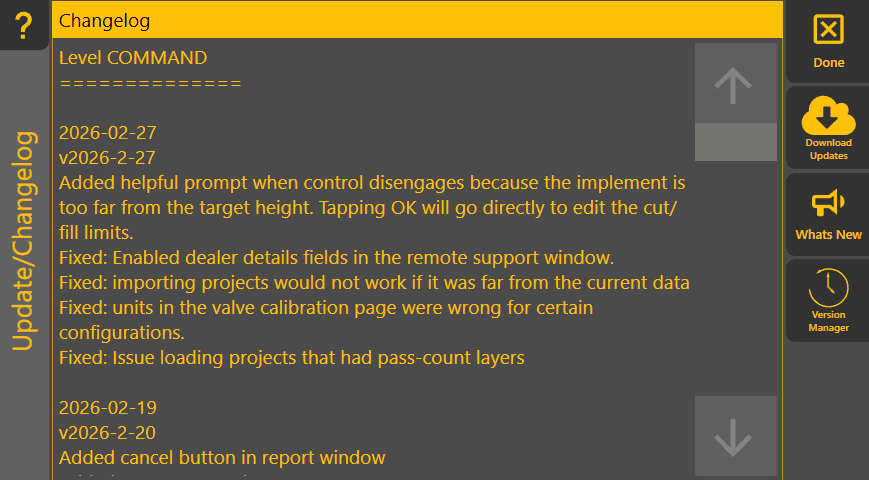
The majority of the page shows the Changelog for the version of Level COMMAND that you're running. For a rainy day, it might be an interesting read. If you've helped report or investigate a bug, your initials might be hiding in there too.

'Changelog' - shows a list of updated features in each version.

'DownlaodDownload updates' - ChooseTapping this will attempt to updatedownload toand install the latest versionversion, whenso ensure you're connected to the internet.
If
everythingis
workingwell, please wait till the end of an earthmoving project before updating - why update something that's working fine? We have quite a few quality checks, but bugs have been known to slip through from time to time. But if you've got a bug, then you can try tapping the next button down:

'Whats new' - WhenTapping this will show you arethe unsurelatest about updatingchangelog to help you decide if you want to bother updating. If an issue you've experienced is fixed in the latest version, it allowsshould be mentioned here.

'Version Manager' - Tapping this will open the Version Manager. You can use it to roll back to an earlier version of Level COMMAND. You should probably give us a call if you need to viewuse this, as we can help it run smoothly and address the listroot ofissue softwareto updatehelp detailsothers withouttoo. actuallySo downloadingplease them.consider sending us a Report with some info about what you were doing before delving deeper.