Save As
Allows you to save a 2nd copy and to also save in a format that is able to be used by a previous version of Level Command.
How to use
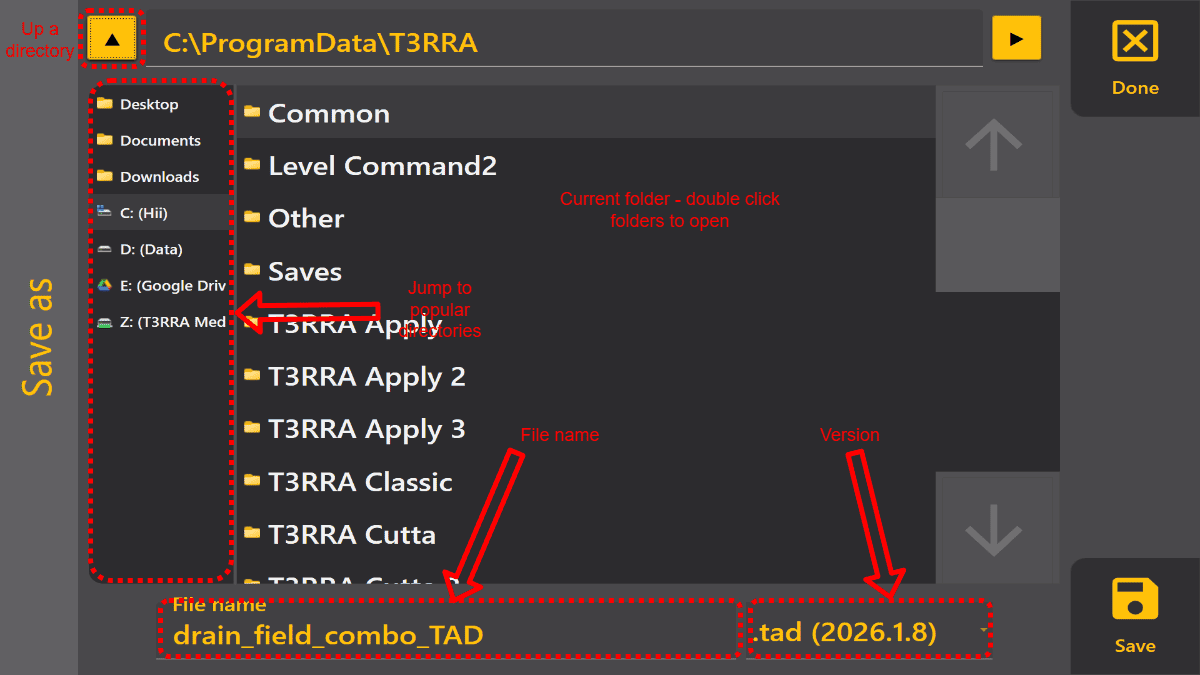
It works similarily to the windows save window, but optimised for touch. You can choose where to save by clickin on popular folders on the right, then clicking on folders on the Main view will navigate inside that folder. Enter the name you want to save as on the bottom.
Leave the version as default UNLESS you are trying to send a file to and older verison of Level Command that errors when you try and load the most recent version. The error message will tell you which version is supported by that Level Command.
To access this view
Press ctrl+shift+s OR click the Title → Save As (button on right)