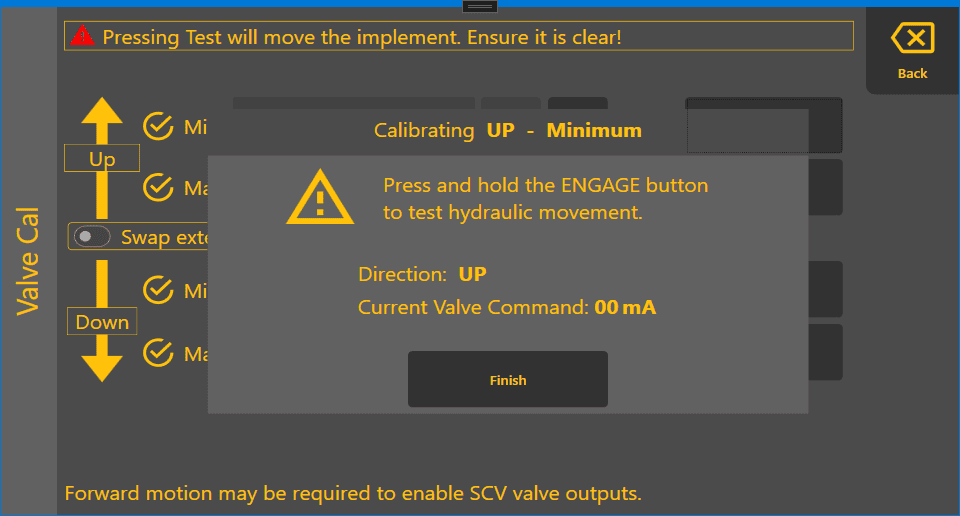
COMMAND Settings Valve Calibration
Valve Calibration
The COMMAND valve calibration can be accessed using the navigation path: More > COMMAND Settings > Valve Cal.

Calibration Interface
The interface will present the current calibration values:
- Up
- Min
- Max
- Down
- Min
- Max
- Swap extend/retract toggle button
- And the Test buttons to start the calibration process

Valve Calibration Process
Press the "TEST" button correspondent to the function to be calibrated. A new dialog will open displaying instructing to press the physical "ENGAGE" button to test the hydraulic movement. The function being calibrated and the current valve command value will be displayed.
Pressing Test will move the implement. Ensure it is clear!