
COMMAND Settings - Inputs/Offsets
The Inputs / Offsets page is used for selection of input sensors, such as GNSS receivers for height control or Inertial Measurement Units (IMU) for terrain compensation and Tilt / X-slope control
Height
Inputs
All COMMAND machine profiles have at least one height control function intended for use with a GNSS receiver for vertical position feedback.
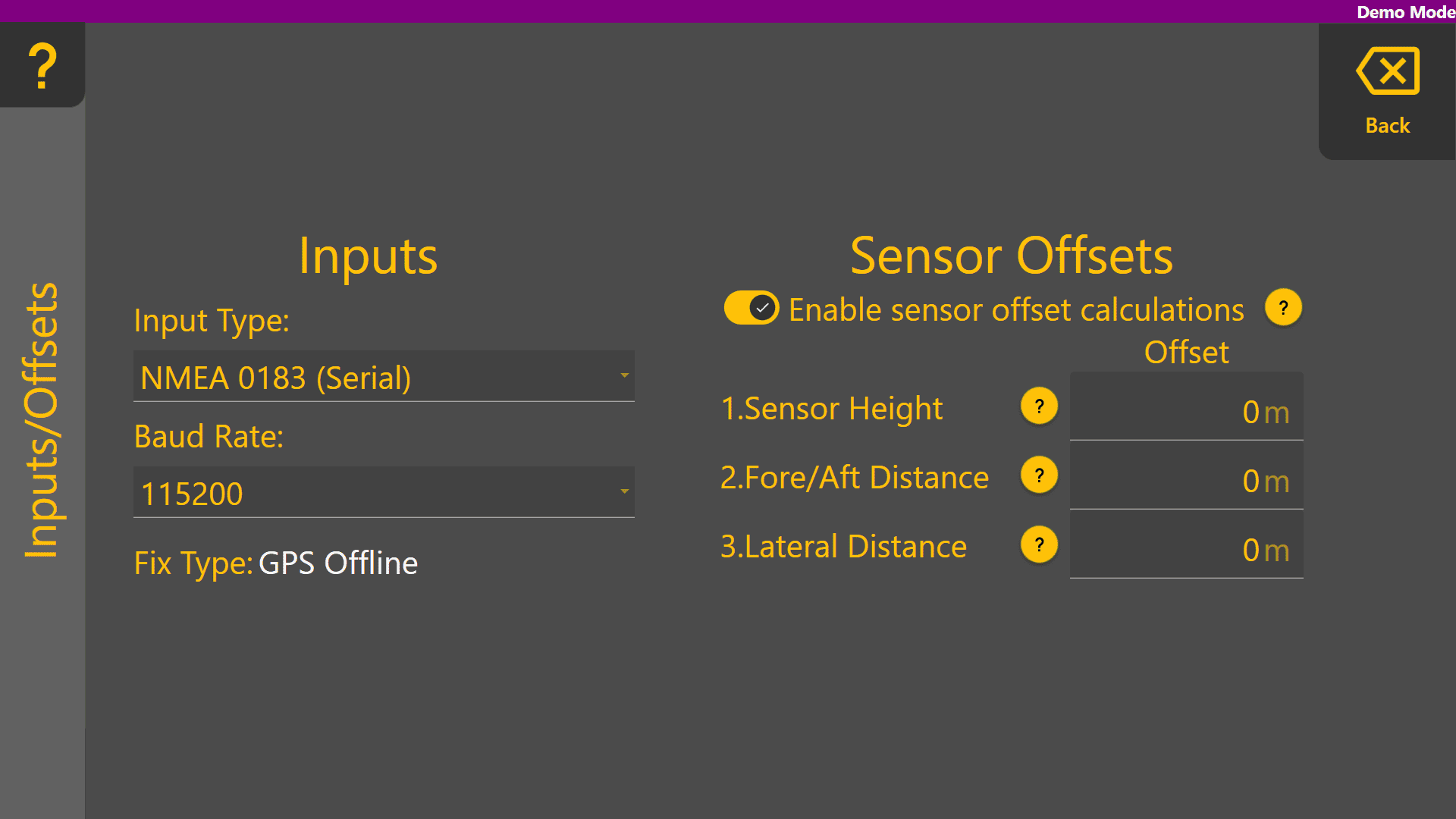
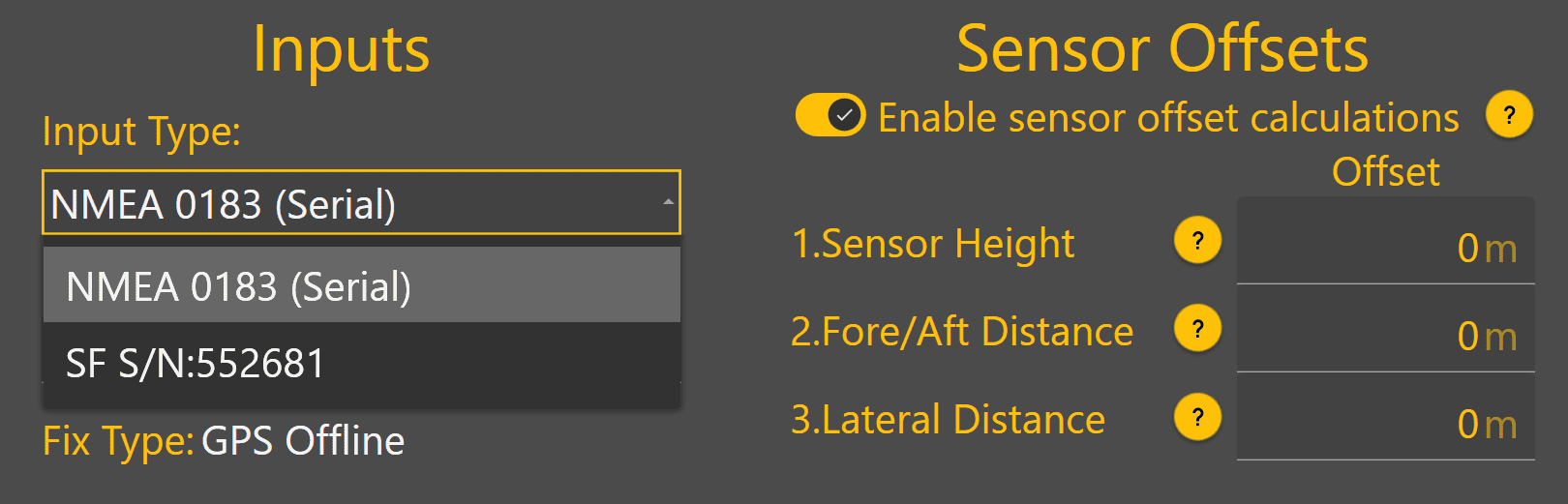
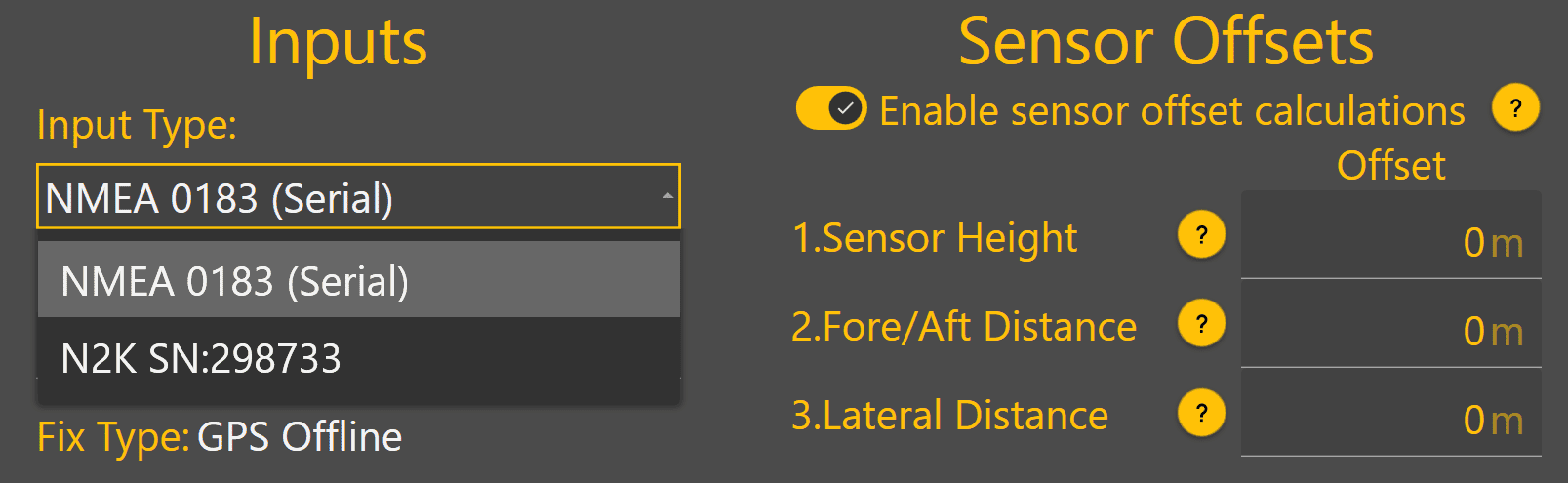
Tap on the dropdown box below Input Type to view the different GNSS input options currently available. This dropdown will update with any StarFire or NMEA 2000 receivers currently connected, which are then displayed with either "SF" or "N2K" followed by the receiver serial number.
StarFire Example:
NMEA 2000 Example:
Sensor Offsets
If using a GNSS receiver with Level COMMAND that is not capable of IMU-based terrain compensation, sensor offset calculations can be enabled.
Blade Width - Enter the height of the GNSS receiver's measurement point above the cutting edge of the blade.
Positive = Above the cutting edge
Negative = Below the cutting edge
Fore/Aft Distance - Enter the distance forward or backward from the GNSS receiver centre point to the cutting edge of the blade.
Positive = In front of the cutting edge
Negative = Behind the cutting edge
Lateral Distance Enter the distance between the GNSS receiver centre point to the middle of the cutting edge of the blade.
Positive = To the right side of the middle as if standing behind the scraper
Negative = To the left side of the middle as if standing behind the scraper