
Blade Control Settings
Allows the operatoryou to specify which part ofhow the soil profile under the blade has priority in determiningdetermines blade position.
Classic
Uses the design elevation as the target elevation beneath the center of the blade. The cross-slope is determined by the design elevations under the left and right edges of the blade. With Classic mode, it’s easy to over-dig when driving along the midline of ditches or to clip the top of a bank when straddling a ridge.
Average
Calculates the overall trend of the design surface beneath the blade and sets the blade to match this trend. This method works well for full-field designs, providing a consistent result. However, it is less effective for areas with abrupt changes in slope.
Average, On Top
An enhancement of the Average method, this position determines the slope in the same way but always avoids overcutting. It ensures the blade stays above the design surface, preventing excessive excavation.
Snap Fit
Finds the optimal blade position without overcutting. When crossing a break line, the blade will quickly adjust from one position to another. This method is designed for areas with sudden changes in slope, allowing for efficient cutting and filling, minimizing passes and reducing the risk of rework.
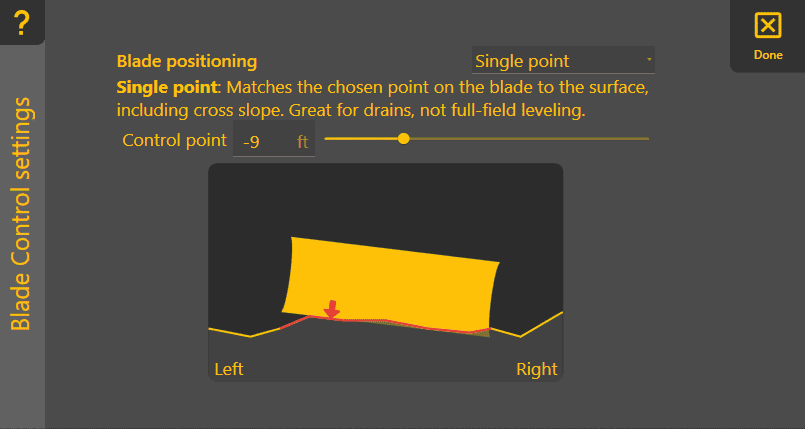
Single Point
Provides control by a specific point on the blade, indicated by the red arrow. That point will always be at the design elevation and cross slope, even if other parts of the blade cut below the design. This method is ideal for creating features like V-ditches.