
7.4 | Updates & Release Management
The The Update/ChangelogUpdate & Release Management page is whereallows you canto download any available software updates and check for recent changes.
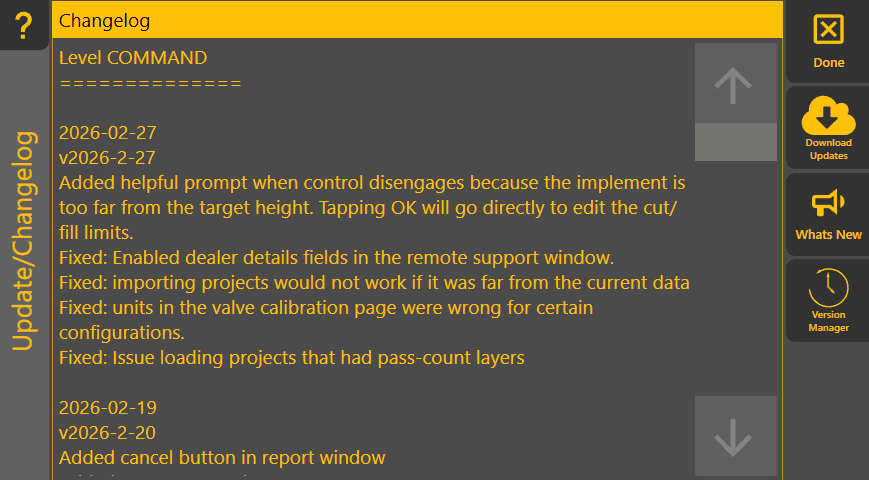
The majority of the page shows the Changelog for the version ofkeep Level COMMAND thatup you'reto running.date Forand areview rainychanges day, it might be an interesting read. If you've helped report or investigate a bug, your initials might be hidingintroduced in thereeach too.software release.
'DownloadKeeping updates'the -software Tappingcurrent thisprovides will attemptaccess to downloadnew features, performance improvements and installbug thefixes. latestHowever, version, so ensure you're connected to the internet. Ifif the system is operating correctly,reliably during an active project, consider delayingpostponing updates until completionthe project has been completed.
Changelog
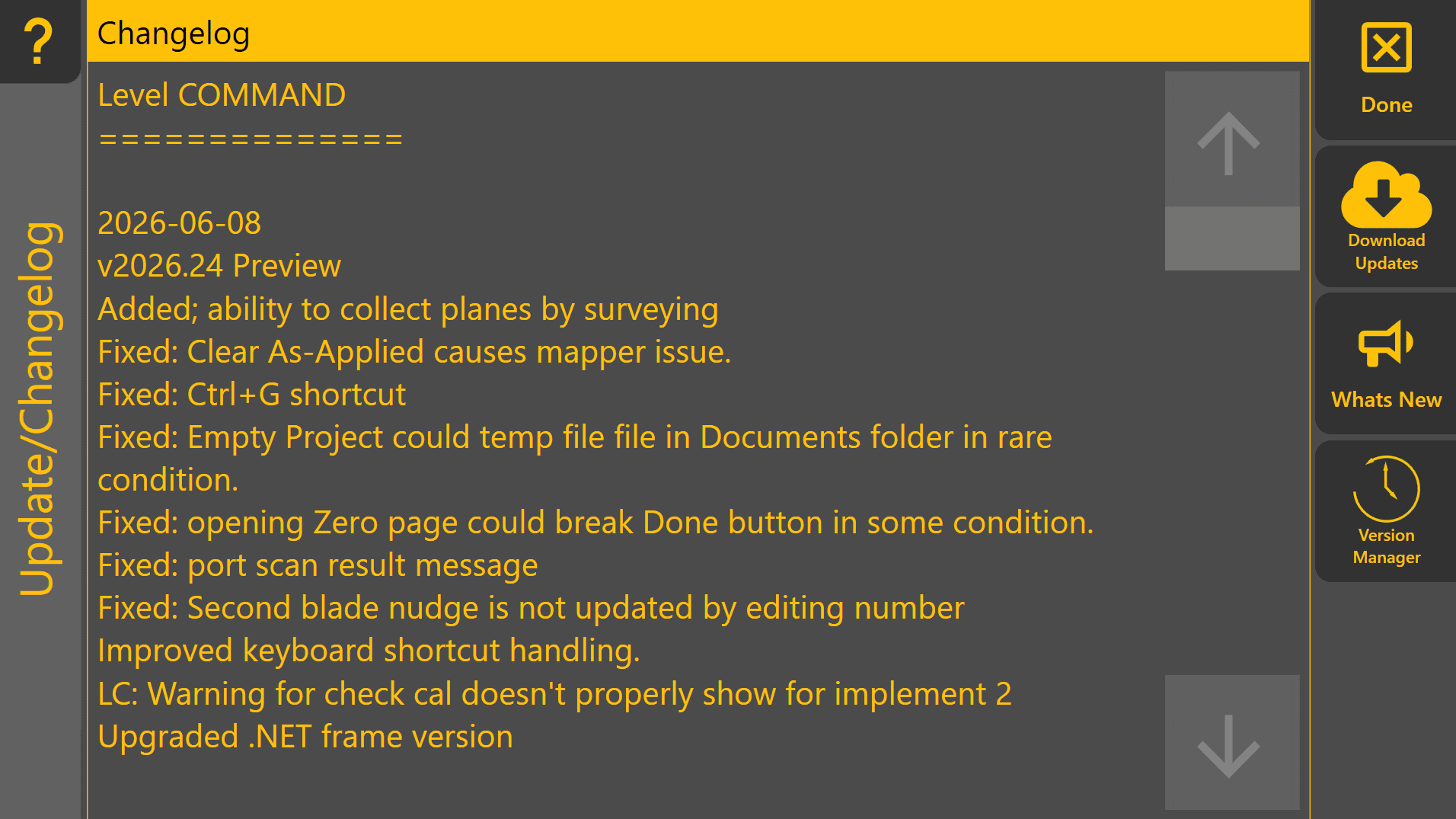
The Changelog displays the release notes for the currently installed version of theLevel current earthmoving project.COMMAND.
Reviewing the changelog allows operators and dealers to understand what has changed between software versions, including new features, improvements and resolved issues.
Download Updates
'WhatsDownloads new'and - Tapping this will show youinstalls the latest changelogavailable toversion helpof youLevel decideCOMMAND.
An youactive wantinternet to bother updating. If an issue you've experiencedconnection is fixedrequired.
Before updating, ensure the machine is not actively being used for production work.
What's New

Displays the release notes for the latest version,available itsoftware shouldversion bebefore mentioned here.installation.
This allows you to review new features, improvements and resolved issues when deciding whether to update.
Version Manager
'The Version Manager' -allows Tappingpreviously thisinstalled willversions openof theLevel Version Manager. You can use itCOMMAND to rollbe restored if required.
Rolling back to an earlier version of Level COMMAND. You should probablygenerally giveonly usbe aperformed callfor ifcompatibility youpurposes needor to use this, as we can help it run smoothly and addressunder the rootguidance issueof toT3RRA help others too. So please consider sending us a Report with some info about what you were doing before delving deeper.Support.
If youa can'tprevious seemversion is required due to 'unexpected behaviour after an update, consider submitting a diagnostic report so the underlying issue can be investigated.
Unable to Check for Updates
If Download updatesUpdates' or load the 'What's newNew' details,cannot seebe Can'taccessed: