
6.3 | Blade Shift & Material Control
The blade shift buttons allow you to manually shift the height of the blade; up, down, or rotate it (for cross-slope control). You can also limit the depth of cut and fill with blade limits. To use it, click the 'Blade shift' button.
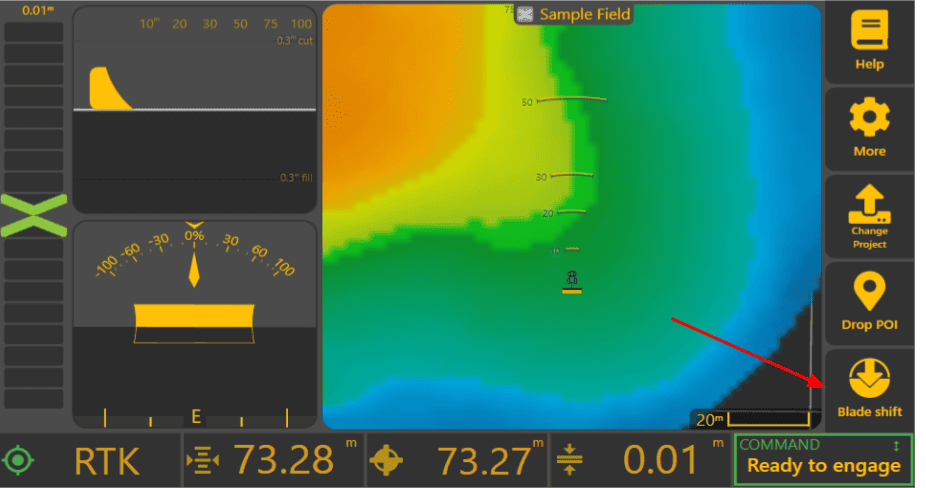
Breakdown of the Blade Shift UI
Blade view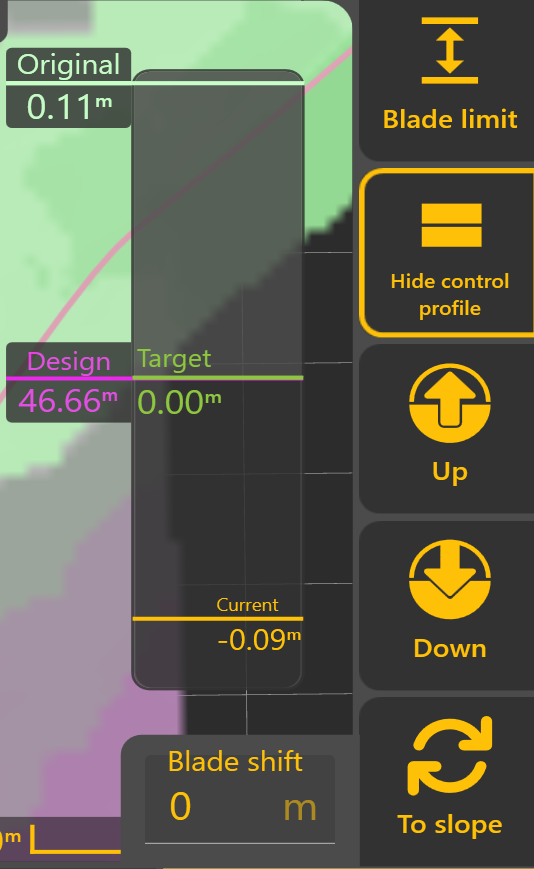
Blade limit: Allows you to set limits on the blade relative to the As Applied surface.
Show/Hide control profile: Shows or hides the "control profile" display (see right).
Control profile: An overlaid display that shows you all the stats about what is happening with the control loop. For example, the position of your blade relative to the design surface.
Up/Down: Will adjust your targeted blade height by the blade shift increment.
Blade shift: This text-box shows the current shift. Tapping on it will allow entry of a specific shift value.
To slope: This will let you change from nudging up/down to editing cross slope.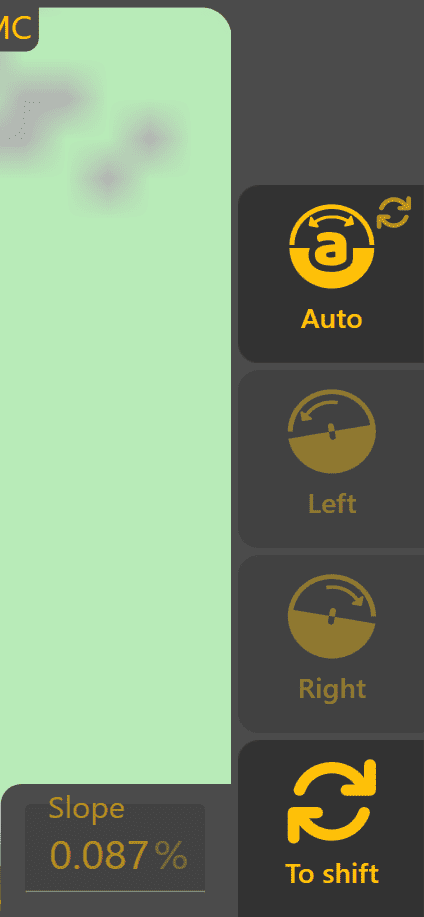 Only present if you have a cross slope capable setup.
Slope view
Auto: Allows one to turn on/off the automatic control of cross-slope (X‑Slope). If in "auto" (see screenshot) the cross-slope will be controlled by the design surface's slope.
Left/Right: Will adjust your targeted blade height by the X-Slope shift increment. Will be disabled in Auto.
Slope: This text-box shows the current target X‑Slope. Tapping on it will allow exact entry of a desired slope. Is disabled in Auto.
To Shift: This switches back from editing cross-slope to editing blade shift.
This is where you can change how blade shifting behaves. You can set the amount changed with each tap of the blade shift buttons. This affects how quickly you can use blade shift to adjust the target position.
Note: 'X-Slope shift per tap' won't be present if your setup doesn't have cross-slope available.
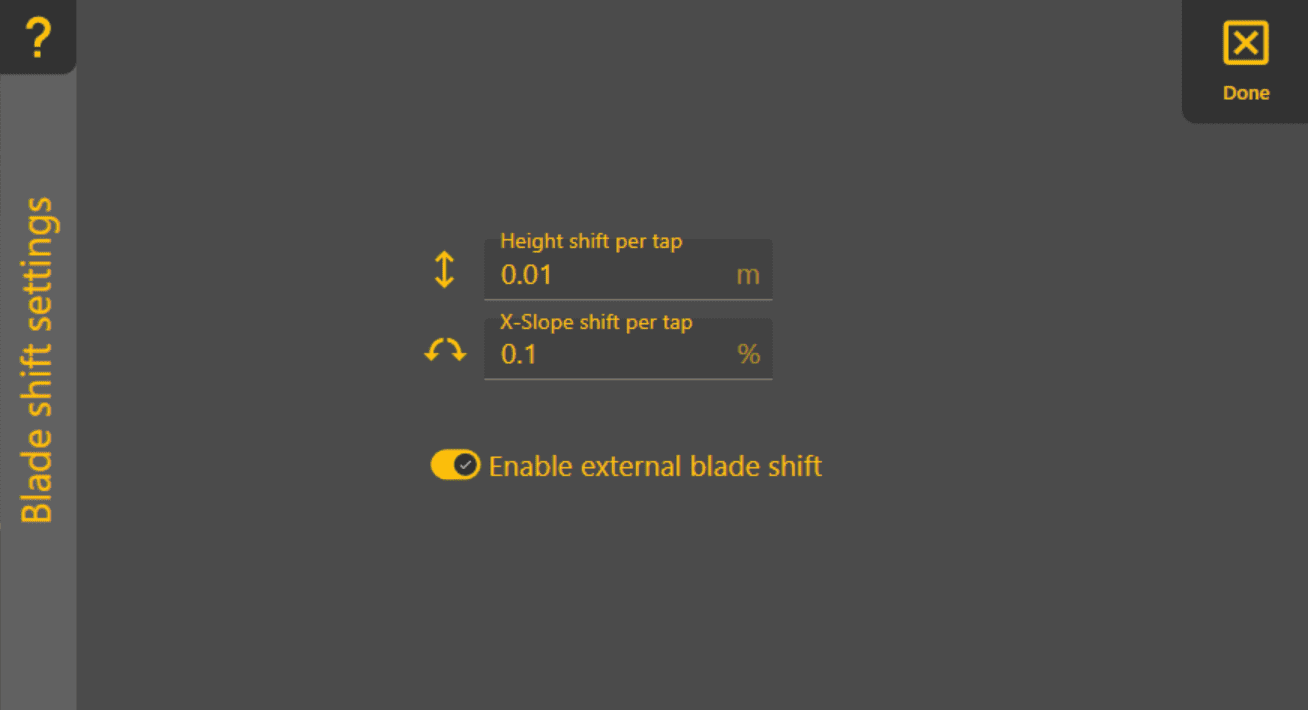
'Blade shift increment' - set the amount each tap of the up/down adjustment buttons causes the blade shift to change. Recommended distance for the blade shift increment would be 0.03 - 0.06 feet (0.4 - 0.8 inches, or 0.01m - 0.02m).
'X-Slope shift increment' - set the amount each tap of the manual left/right cross slope adjustment buttons causes the cross slope to change. Uses percentages (not degrees).
'Enable external blade shift' - With this you can also enable or disable the external blade shift feature. You shouldn't need to disable it unless the buttons are malfunctioning and sending many blade shift commands.