
4.1 | System Startup
When Level COMMAND is first started, the Apply View will be displayed. Before loading a project or attempting to engage Automatic Control, perform the following readiness checks.
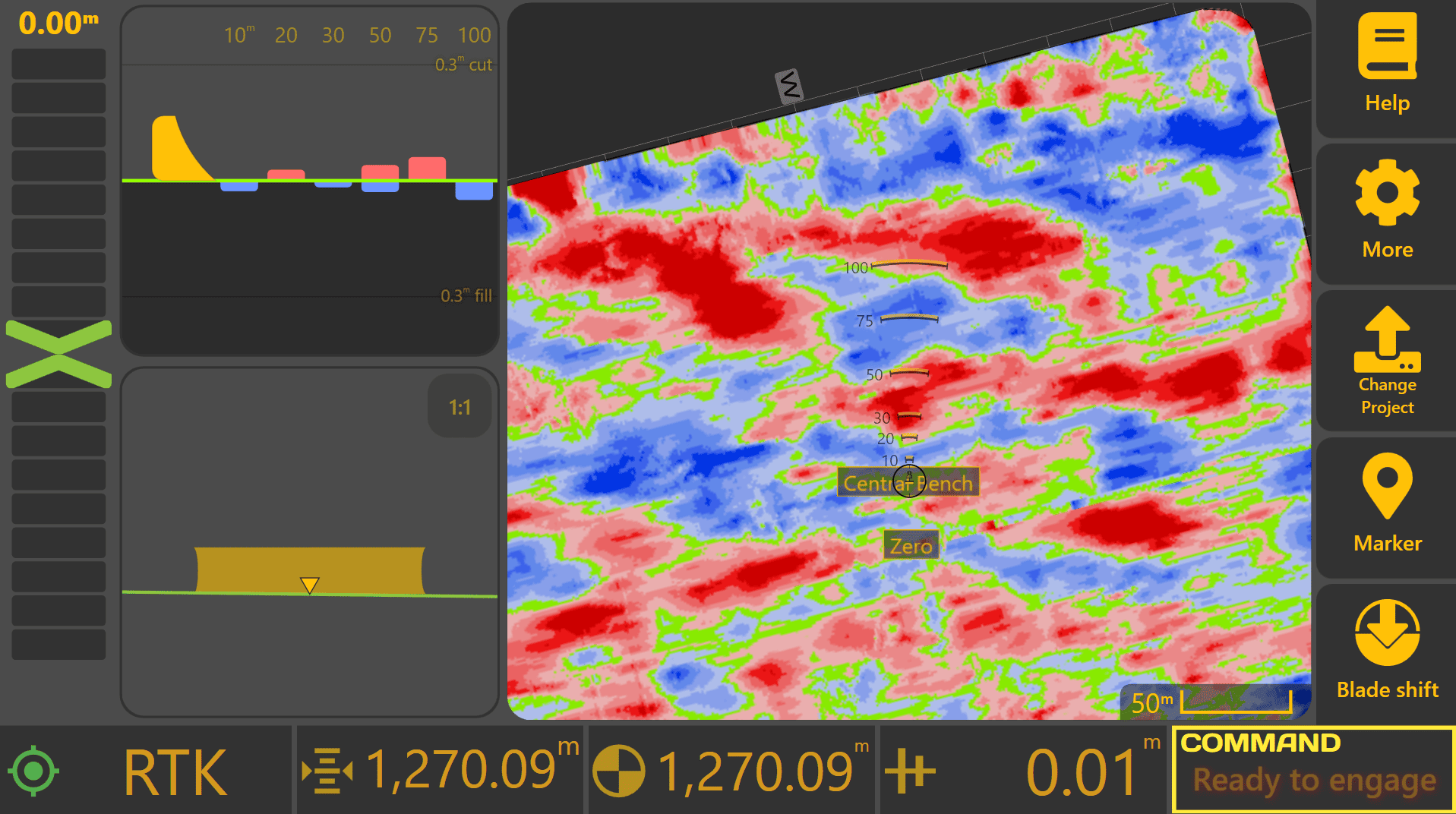

Verify GNSS Operation
Once the machine is powered on, allow the GNSS receiver(s) several minutes to initialise and obtain RTK corrections.
GNSS status can be checked using either:
- The GNSS status widget on the Apply View.
- More → COMMAND Settings → Inputs / Offsets.
If using the Inputs / Offsets page, verify that each configured GNSS receiver displays a Fix Type of RTK before proceeding.
Automatic Control requires RTK-quality positioning for accurate operation. Lower quality fix types such as GPS, Differential GPS or Float RTK may reduce positioning accuracy and automatic control performance. To prevent inaccurate machine control, the COMMAND ECU will not allow Automatic Control to engage unless all required GNSS receivers have achieved an RTK fix.
If RTK fix type has not been achieved after several minutes, common causes include:
- GNSS receiver still initialising.
- RTK radio or correction service unavailable.
- Poor antenna visibility due to nearby trees, buildings or obstructions.
- Incorrect GNSS receiver configuration.
- Damaged or disconnected GNSS hardware.
Refer to Section 3 | Dealer Installation & Commissioning if GNSS configuration requires adjustment.

Check COMMAND Status
Once GNSS operation has been verified, review the COMMAND Status indicator shown at the bottom-right of the Apply View.
The COMMAND Status provides information about the current operating state of the system, including whether:
- Additional setup is required.
- Automatic Control is ready to engage.
- A warning or fault condition is present.
If the system has not previously been configured or commissioned, consult your dealer or refer to Section 3 | Dealer Installation & Commissioning.
Continue to 4.2 | Understanding COMMAND Status for detailed information about the status indicator and its various operating states.