4.1 | System Startup
Start!
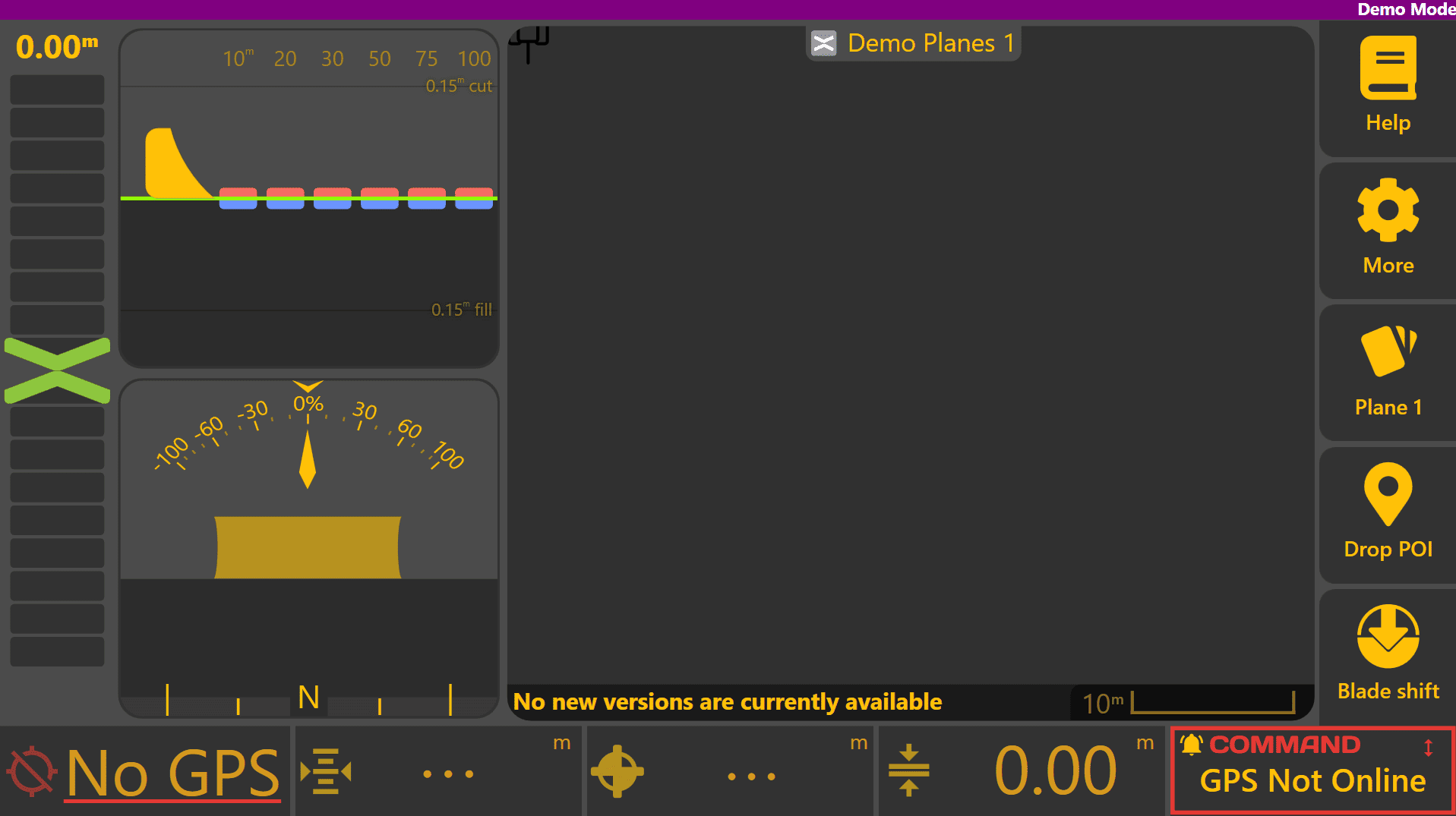
When Level COMMAND is first started, you'll be greeted by the apply page below:
Preliminary Tuning - Air-levelling / Air-grading
Press More > COMMAND Settings > Tuning.
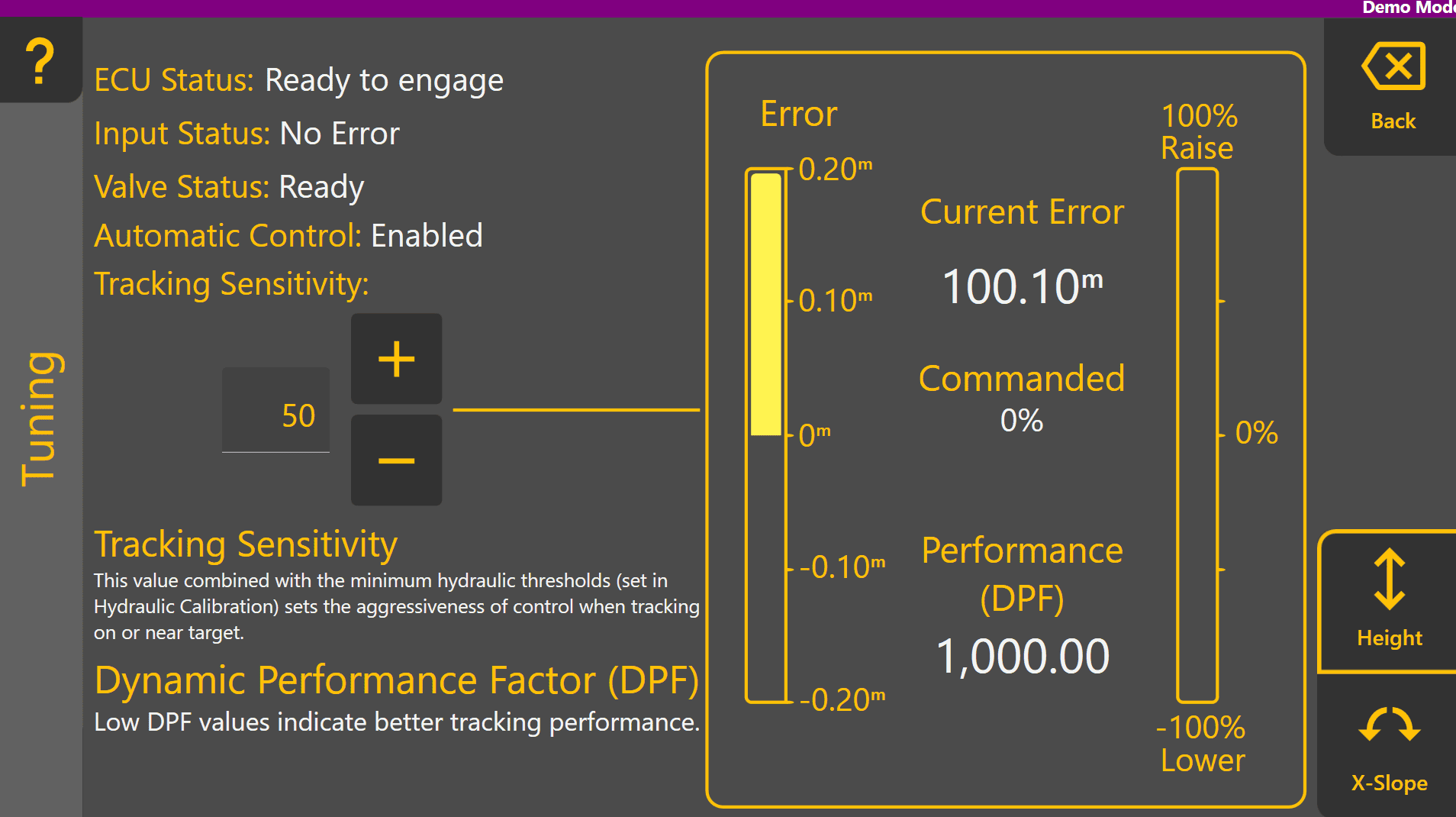
Important ECU status information is displayed at the top left to help identify any configuration or calibration issues before or during tuning. Tracking Sensitivity sets the aggressiveness of automatic control when tracking close to the target. At the right side, the amount of error and commanded % can be visually monitored in real time once engaged, and control performance is indicated by Performance (DPF).

Begin moving at a low speed, above 0.5km/h and enable any detent or limit switches allowing automatic control of tractor valves if required. Fully raise the implement/blade to maximum height.
Engage automatic control with the Arm/Engage switch while carefully observing the implement. Level COMMAND will target the height of the plane, and the implement should begin to acquire and lower to the target height. Once within tracking range, the implement will begin tracking and maintaining the target automatically.
Tracking Sensitivity sets the overall aggressiveness of control and should be set to minimise control error while implementing. Performance (DPF) indicates how well the implement is matching with the target. A DPF value of 0 represents perfect 1:1 control of the blade position at all times. As the DPF value increases, the indicated control performance is worse.
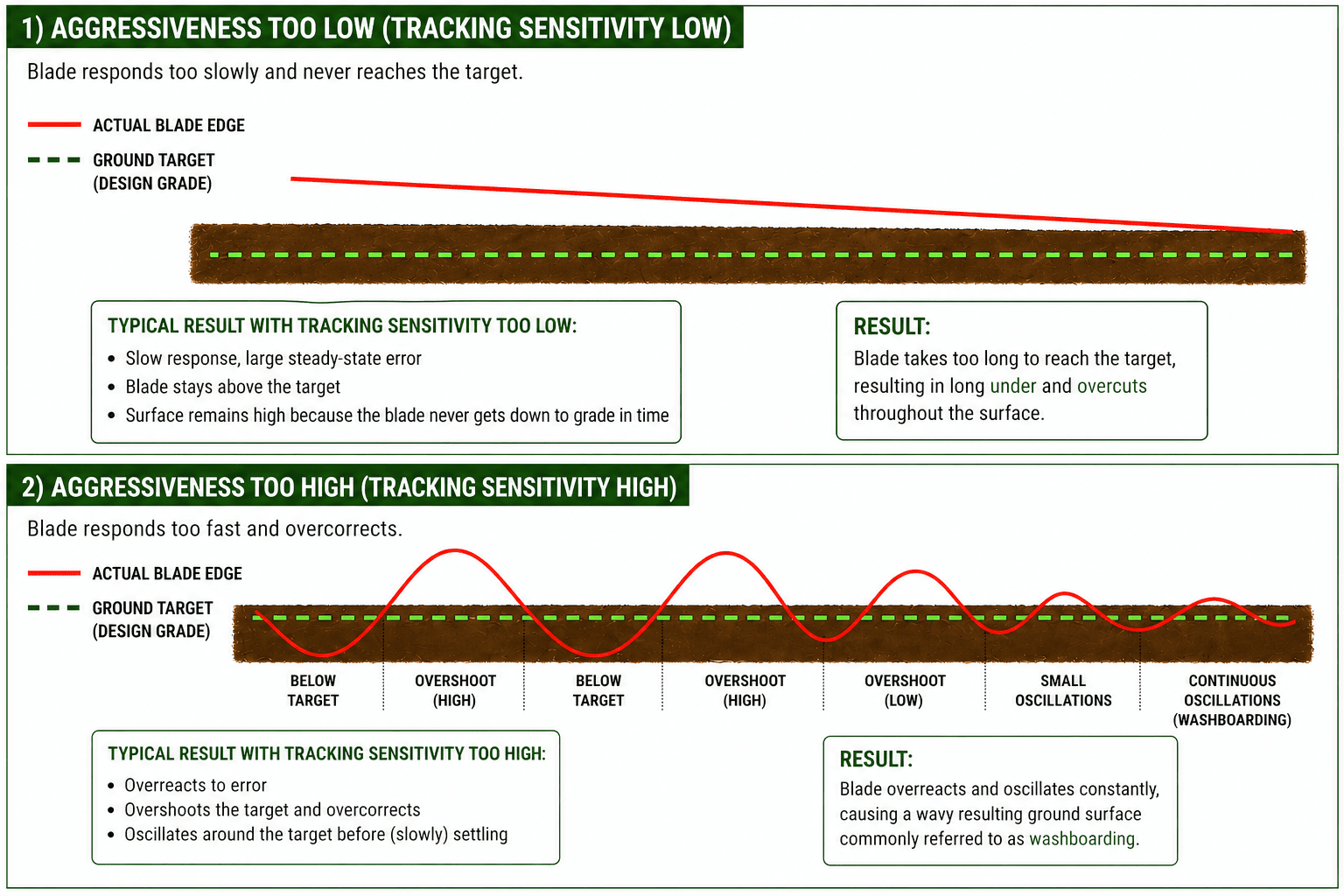
If the blade is raising/lowering or tilting back and forth quickly or erratically, reduce the Tracking Sensitivity by a larger amount like 10 and check whether this improves the performance.
If the blade is lagging behind the target and the error chevron isn't reaching zero, increase the Tracking Sensitivity by a larger amount like 10 and check whether this improves the performance.