
7.1 | Modern John Deere (CANBUS)
Applicable to:
John Deere tractors with CANBUS-based SCV control (typically 2005+ models).
Connection Method
John Deere CANBUS-based SCV systems are controlled by COMMAND directly over the ISOBUS, so the only hardware requirement for direct control is that COMMAND be connected to the tractor ISOBUS via the 4-way Deutsch DT connections on either the cab (T3H-C006) or external (T3H-C005) breakout harnesses.
Installation Steps
Please refer to section ____ for instruction on how to connect COMMAND to the ISOBUS.
Operation Notes
John Deere's transition to CANBUS-based SCV control systems occurred progressively across different models starting in the early 2000s. While exact transition years may vary by model series, tractors produced from 2005 onward are more likely to feature CANBUS-based SCV controls.
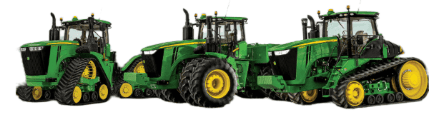
COMMAND's JD CAN valve interface interfaces with modern John Deere tractors by sending CANBUS messages to the integrated valve controller, commanding either port A or port B flow of the rear tractor SCVs.
To operate the SCVs in automatic control mode, the user must push the respective SCV lever into the detent position (not float). This will cause "AUTO" to appear on the console/display to indicate that the SCV is ready for automatic control commands.
Moving the lever will disengage AUTO mode on the console/armrest. To re-enter AUTO mode, push the SCV lever into detent position again.
For more information on configuring COMMAND for use with JD CAN SCVs, refer to the Level COMMAND Manual.