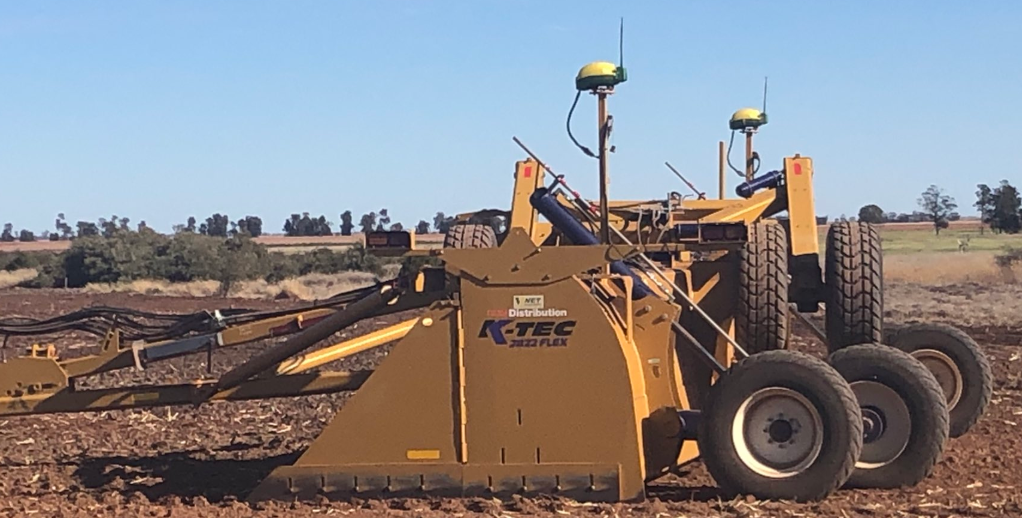
# Dual GPS scraper is not level.

<span dir="ltr" style="font-size: 14pt; font-family: Helvetica, sans-serif; color: rgb(0, 0, 0); font-weight: 400;">**Symptoms**:</span>

<span style="font-family: Helvetica,sans-serif;"><span style="font-size: 14pt; color: rgb(0, 0, 0); font-weight: 300;">When using two GPS receivers in a side-by-side configuration on a single scraper, one side of the scraper is consistently lower than the other side.</span></span>

<span style="font-family: Helvetica,sans-serif;">  
</span>

<span style="font-family: Helvetica,sans-serif;"><span style="font-size: 14pt; color: rgb(0, 0, 0); font-weight: 400;">**Cause**:</span></span>

<span style="font-family: Helvetica,sans-serif;"><span style="font-size: 14pt; color: rgb(0, 0, 0); font-weight: 300;">One GPS is mounted lower than the other, or Implement GPS Receiver Offsets are incorrectly entered.</span></span>

<span style="font-family: Helvetica,sans-serif;">  
</span>

<span style="font-family: Helvetica,sans-serif;"><span style="font-size: 14pt; color: rgb(0, 0, 0); font-weight: 400;">**Solution**:</span></span>

<span style="font-family: Helvetica,sans-serif;"><span style="font-size: 14pt; color: rgb(0, 0, 0); font-weight: 300;">Select Controller Setup softkey &gt; Profile tab &gt; GPS Offsets Edit button. Enter the correct GPS height offsets.</span></span>

![](https://docs.t3rra.com/uploads/images/gallery/2025-03/scaled-1680-/qw4csmbbifljv4ox-8x6ik-7pnfyn-vng-png.png)