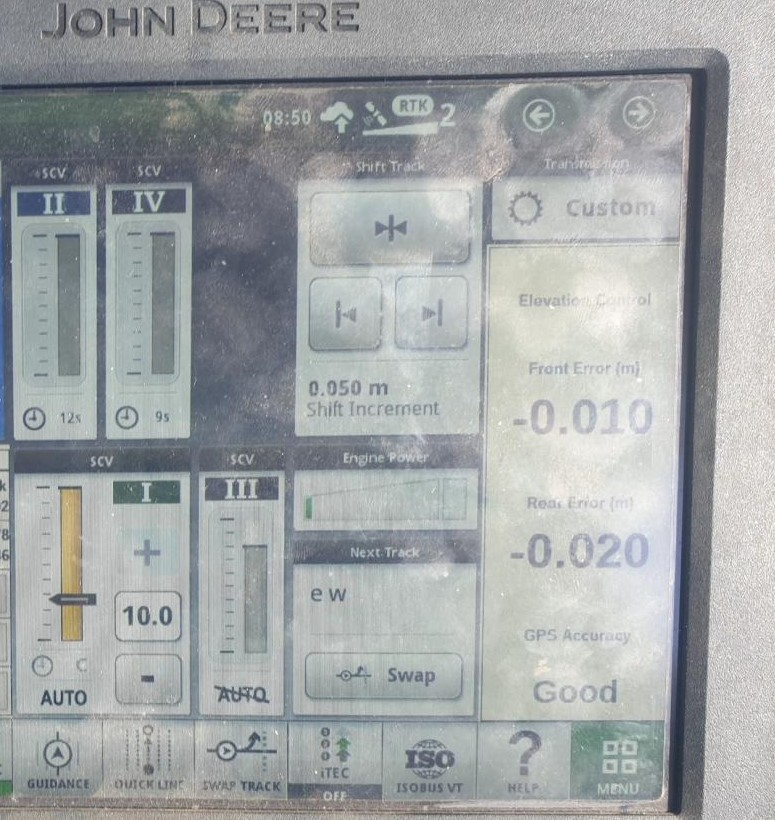
# Cross Slope not working and Front and Rear Error displays are visible.

<span dir="ltr" style="font-size: 14pt; font-family: Helvetica, sans-serif; color: rgb(0, 0, 0); font-weight: 400;">**Symptoms**:</span>

<span style="font-family: Helvetica,sans-serif;"><span dir="ltr" style="font-size: 14pt; color: rgb(0, 0, 0); font-weight: 300;">If you are seeing Front Error and Rear Error and you are not using dual scrapers, you may have set up the SCV 1 and SCV 3 incorrectly.</span></span>

<span dir="ltr" style="font-family: Helvetica,sans-serif;">![](https://docs.t3rra.com/uploads/images/gallery/2025-03/scaled-1680-/macxocbg3uulhregjxt7bmvpwlxgha4zvg-png.png)</span>

<span style="font-family: Helvetica,sans-serif;"><span style="font-size: 14pt; color: rgb(0, 0, 0); font-weight: 400;">**Cause**:</span></span>

<span style="font-family: Helvetica,sans-serif;"><span style="font-size: 14pt; color: rgb(0, 0, 0); font-weight: 300;">You have not set Cross Slope up correctly on the Application controller.</span></span>

<span style="font-family: Helvetica,sans-serif;">  
</span>

<span style="font-family: Helvetica,sans-serif;"><span style="font-size: 14pt; color: rgb(0, 0, 0); font-weight: 400;">Solutions:</span></span>

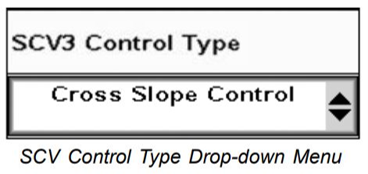
<span style="font-family: Helvetica,sans-serif;"><span style="font-size: 14pt; color: rgb(0, 0, 0); font-weight: 300;">Choose ‘Cross Slope Control’ for SCV3’ from the drop down menu in UCC1. </span></span>
![](https://docs.t3rra.com/uploads/images/gallery/2025-03/scaled-1680-/uneuc9dhrwsgs35tqvbjpjfav9440zn1va-png.png)<span style="font-family: Helvetica,sans-serif;">  
</span>

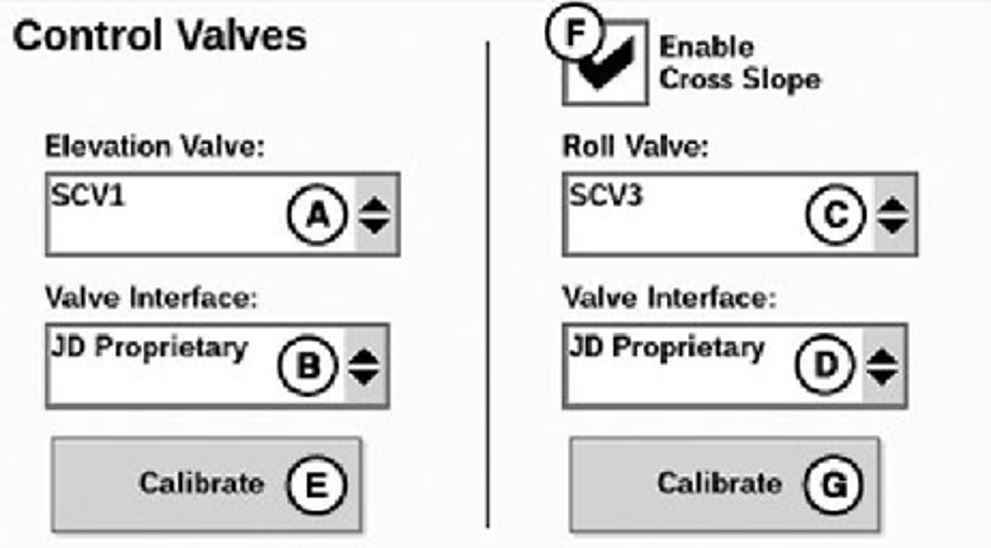
<span style="font-family: Helvetica,sans-serif;"><span dir="ltr" style="font-size: 14pt; color: rgb(0, 0, 0); font-weight: 300;">Check the ‘Enable Cross Slope’ box in UCC2. </span></span>
![](https://docs.t3rra.com/uploads/images/gallery/2025-03/scaled-1680-/s-wnz0pxp6c9i5h-tmfc11plt-6owlgscg-png.png)