# Attempting to save a PDF report throws an error.

<span dir="ltr" style="font-size: 14pt; font-family: Helvetica, sans-serif; color: rgb(0, 0, 0); font-weight: 400;">**Symptoms**:</span>

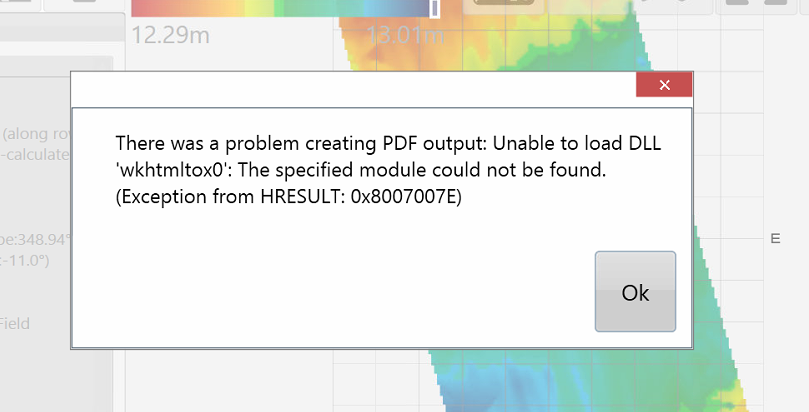
<span style="font-family: Helvetica,sans-serif;"><span style="font-size: 14pt; color: rgb(0, 0, 0); font-weight: 300;">When attempting to create a PDF report on a tablet running Windows 8.1 an error message appears and no report is created.</span></span>

![](https://docs.t3rra.com/uploads/images/gallery/2025-03/scaled-1680-/814htogk08iuc6s8xuugi4n5lwgdixvrlq-png.png)

<span style="font-family: Helvetica,sans-serif;">  
</span>

<span style="font-family: Helvetica,sans-serif;"><span style="font-size: 14pt; color: rgb(0, 0, 0); font-weight: 400;">**Cause**:</span></span>

<span style="font-family: Helvetica,sans-serif;"><span style="font-size: 14pt; color: rgb(0, 0, 0); font-weight: 300;">Windows 8.1 is missing some critical files the PDF creator relies on. </span></span>

<span style="font-family: Helvetica,sans-serif;">  
</span>

<span style="font-family: Helvetica,sans-serif;"><span style="font-size: 14pt; color: rgb(0, 0, 0); font-weight: 400;">**Solution**:</span></span>

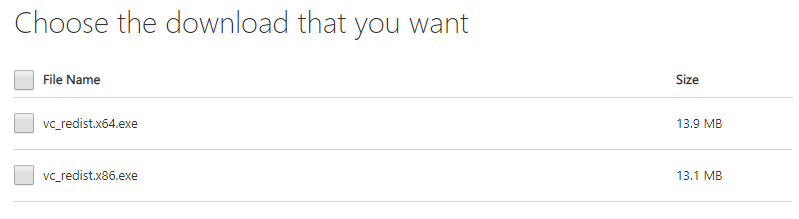
<span style="font-family: Helvetica,sans-serif;"><span style="font-size: 14pt; color: rgb(0, 0, 0); font-weight: 300;">Install the VC++ 2015 Redistributable files. These are available at </span>[<span style="font-size: 14pt; color: rgb(17, 85, 204); font-weight: 300; text-decoration-skip-ink: none;">www.microsoft.com</span>](http://www.microsoft.com)<span style="font-size: 14pt; color: rgb(0, 0, 0); font-weight: 300;">. Use a search engine to find them. Choose the version that matches your tablet (32 or 64bit). Install on the tablet. The PDF creation process should then work.</span></span>

![](https://docs.t3rra.com/uploads/images/gallery/2025-03/scaled-1680-/rrpew5hvl6roloc7nhdkvlrb-dzcx1l6zw-png.png)