# Project Tab

![](https://docs.t3rra.com/uploads/images/gallery/2025-03/scaled-1680-/Ftsq6aseer5v8od3o98kllqsfcahvpawx-zra-png.png)

### <span style="font-family: Helvetica,sans-serif;"><span dir="ltr" style="font-size: 14pt; color: rgb(0, 0, 0); font-weight: 400;">**Settings made in the project tab will not be represented in a project that is open when the settings are changed.**</span></span>

**<span style="font-family: Helvetica,sans-serif;">  
</span>**

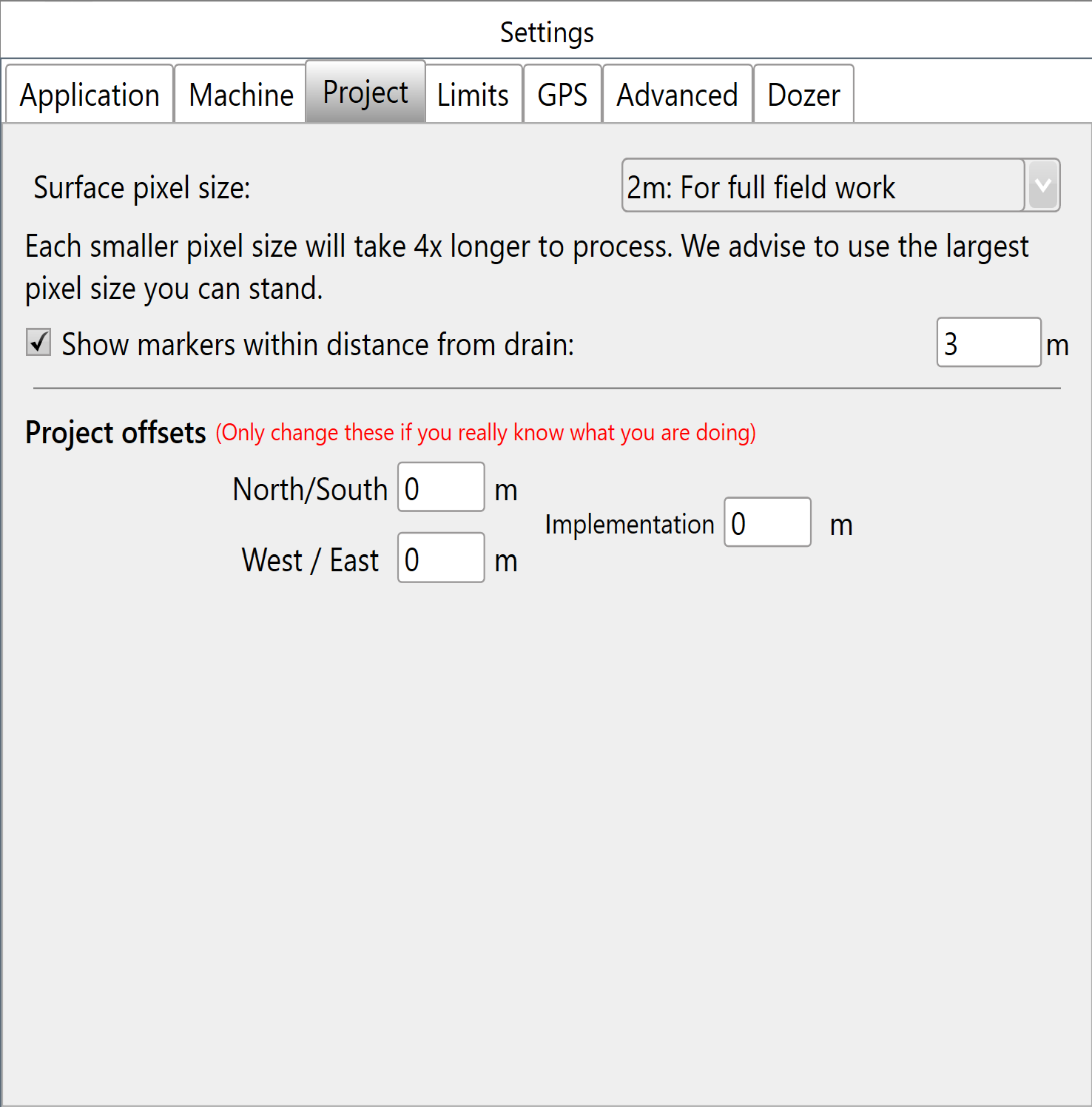
<span style="font-family: Helvetica,sans-serif;"><span style="font-size: 14pt; color: rgb(0, 0, 0); font-weight: 400;">**Surface Pixel Size**</span><span style="font-size: 14pt; color: rgb(0, 0, 0); font-weight: 300;"> - The default pixel size of 2 meters (~6 feet) should be adequate for most purposes. In some situations, it may make sense to decrease pixel size to 1 meter or even 0.5 meters (primarily to facilitate small interval contour creation, or to get good definition on drain batters/backslopes).</span><span style="font-size: 14pt; color: rgb(0, 0, 0); font-weight: bold;"> </span></span>

<span style="font-family: Helvetica,sans-serif;">  
</span>

<span style="font-family: Helvetica,sans-serif;"><span style="font-size: 14pt; color: rgb(0, 0, 0); font-weight: 300;">A field surface is represented using a “raster”. This is a grid of elevation heights. The individual cells in this grid are referred to as “pixels” and have a uniform edge size. The smaller the pixel size, the more pixels needed to cover a given area, and the more precise the elevation surface is.</span></span>

<span style="font-family: Helvetica,sans-serif;">  
</span>

<span style="font-family: Helvetica,sans-serif;"><span style="font-size: 14pt; color: rgb(0, 0, 0); font-weight: 400; text-decoration-skip-ink: none;">**<u>Points of interest</u>**</span></span>

- <span style="font-family: Helvetica,sans-serif;"><span style="font-size: 14pt; color: rgb(0, 0, 0); font-weight: 300;">If pixel size is too large then the field surface will not appear smooth, and short range changes in elevation may not be adequately represented.</span></span>
- <span style="font-family: Helvetica,sans-serif;"><span style="font-size: 14pt; color: rgb(0, 0, 0); font-weight: 300;">If the pixel size is too small, then the computer will have to work harder to process the data. Dividing the pixel size by two increases the amount of pixels by four.</span></span>

<span style="font-family: Helvetica,sans-serif;">  
</span>

<span style="font-family: Helvetica,sans-serif;"><span style="font-size: 14pt; color: rgb(0, 0, 0); font-weight: 400;">**New Project Defaults will populate for brand new projects. Users can then choose to alter or apply them:**</span></span>

<span style="font-family: Helvetica,sans-serif;">  
</span>

<span style="font-family: Helvetica,sans-serif;"><span style="font-size: 14pt; color: rgb(0, 0, 0); font-weight: 400;">**Project offsets**</span></span>

<span style="font-family: Helvetica,sans-serif;"><span style="font-size: 14pt; color: rgb(0, 0, 0); font-weight: 300;">These settings allow for any GPS discrepancies to be accounted for during implementation. </span></span>

<span style="font-family: Helvetica,sans-serif;"><span style="font-size: 14pt; color: rgb(0, 0, 0); font-weight: 300;">The ‘North/South’ and ‘West/East’ directions to move the map (+ is North, - is South) (+ is West, - is East). </span></span>

<span dir="ltr" style="font-size: 14pt; font-family: Helvetica, sans-serif; color: rgb(0, 0, 0); font-weight: 300;">‘Implementation’ is a vertical offset used during implementation only. </span>