# Offset Design

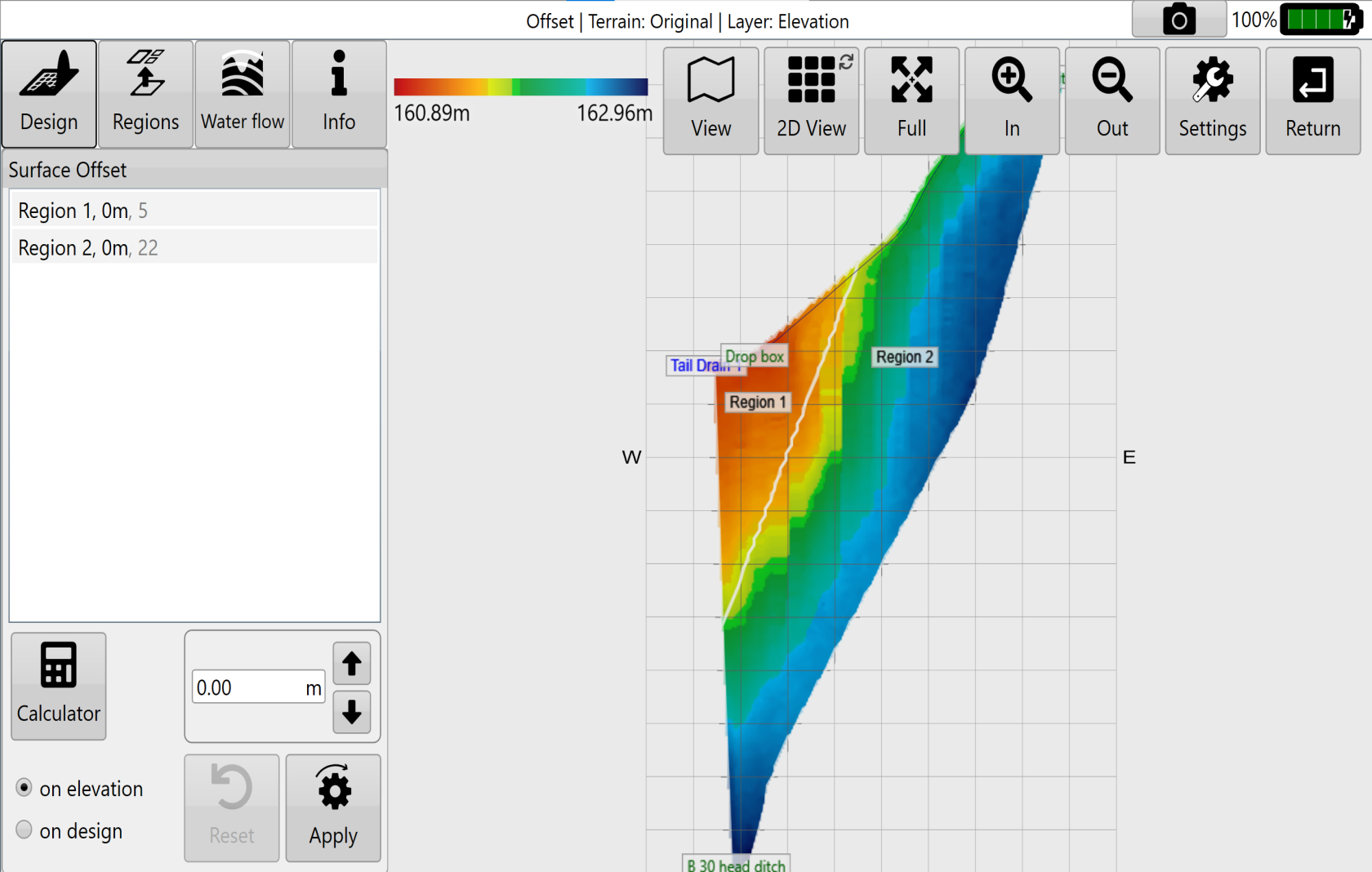
<span style="font-family: Helvetica,sans-serif;"><span dir="ltr" style="font-size: 14pt; color: rgb(0, 0, 0); font-weight: 300;">![](https://docs.t3rra.com/uploads/images/gallery/2025-03/scaled-1680-/CqZihfiipgsx5v-7kz1hx4kotyadxn104znga-png.png) Select the '</span><span style="font-size: 14pt; color: rgb(0, 0, 0); font-weight: 400;">**Offset**</span><span style="font-size: 14pt; color: rgb(0, 0, 0); font-weight: 300;">' button to raise or lower the surface height of a field or region. This can help with:</span></span>

<span style="font-family: Helvetica,sans-serif;">  
</span>

- <span style="font-family: Helvetica,sans-serif;"><span style="font-size: 14pt; color: rgb(0, 0, 0); font-weight: 300;">Importing and exporting dirt</span></span>
- <span style="font-family: Helvetica,sans-serif;"><span style="font-size: 14pt; color: rgb(0, 0, 0); font-weight: 300;">Addition or removal of topsoil</span></span>
- <span style="font-family: Helvetica,sans-serif;"><span dir="ltr" style="font-size: 14pt; color: rgb(0, 0, 0); font-weight: 300;">Raising pads</span></span>

 ![](https://docs.t3rra.com/uploads/images/gallery/2025-03/scaled-1680-/l5K0njagkquqirfkxnnlpsuikv-mapeidqdua-png.png)

<span class="fr-video fr-deletable fr-fvc fr-dvb fr-draggable fr-active"><iframe allowfullscreen="allowfullscreen" class="fr-draggable align-center" frameborder="0" height="360" sandbox="allow-scripts allow-forms allow-same-origin allow-presentation" src="https://www.youtube.com/embed/RD0RZxdaVwA?&wmode=opaque" width="640"></iframe>

</span>

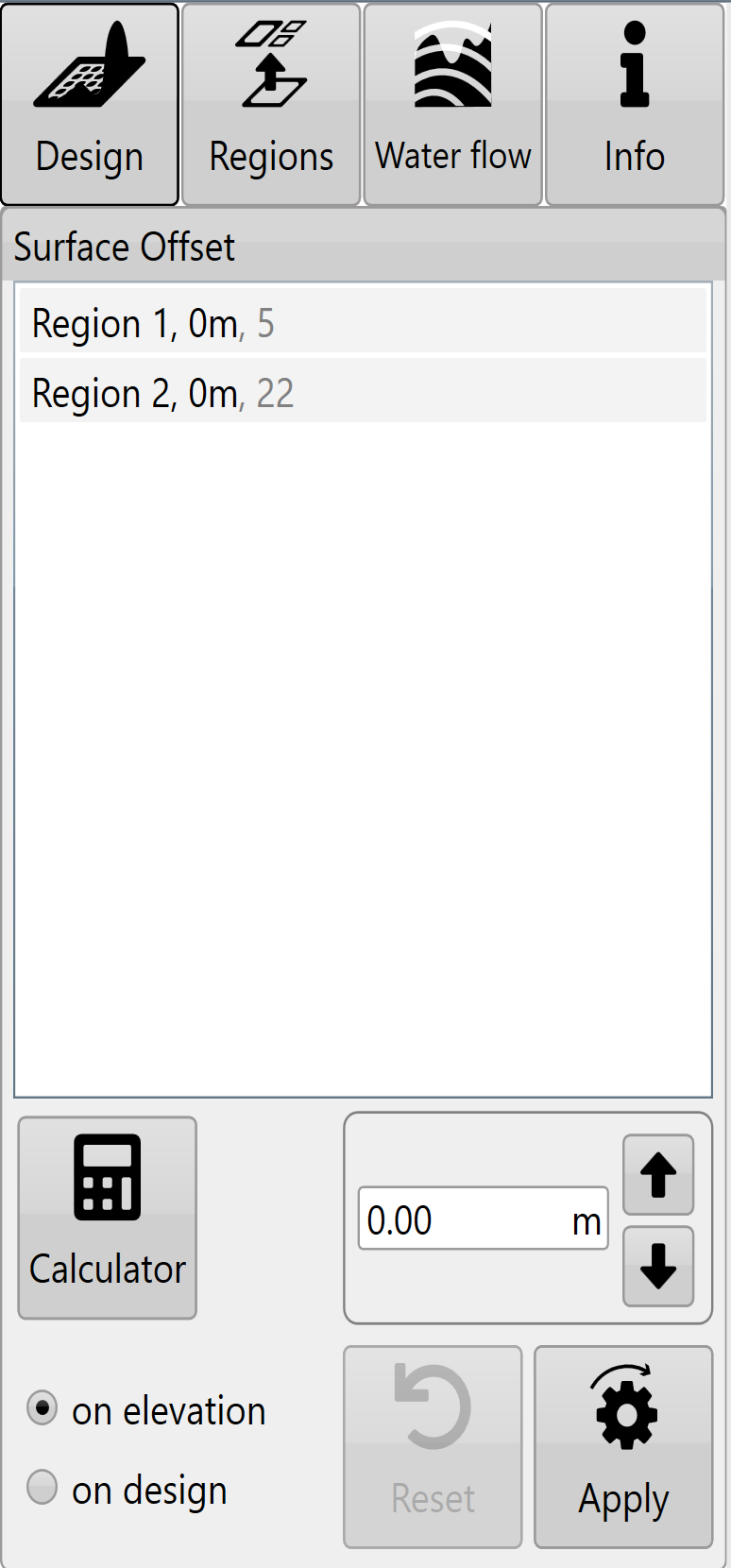
<div align="left" dir="ltr" id="bkmrk--3" style="margin-left: 0pt; font-family: Helvetica, sans-serif;"></div><span dir="ltr" style="font-size: 14pt; font-family: Helvetica, sans-serif; color: rgb(0, 0, 0); font-weight: 300;">![](https://docs.t3rra.com/uploads/images/gallery/2025-03/scaled-1680-/fXxfe0gtw1m8-6cpqepudt9alguazpfj9pheg-png.png)You can either:</span>

- <span dir="ltr" style="font-size: 14pt; font-family: Helvetica, sans-serif; color: rgb(0, 0, 0); font-weight: 300;">Manually enter the desired offset amount (This can also be adjusted in set increments using the arrow buttons). </span>
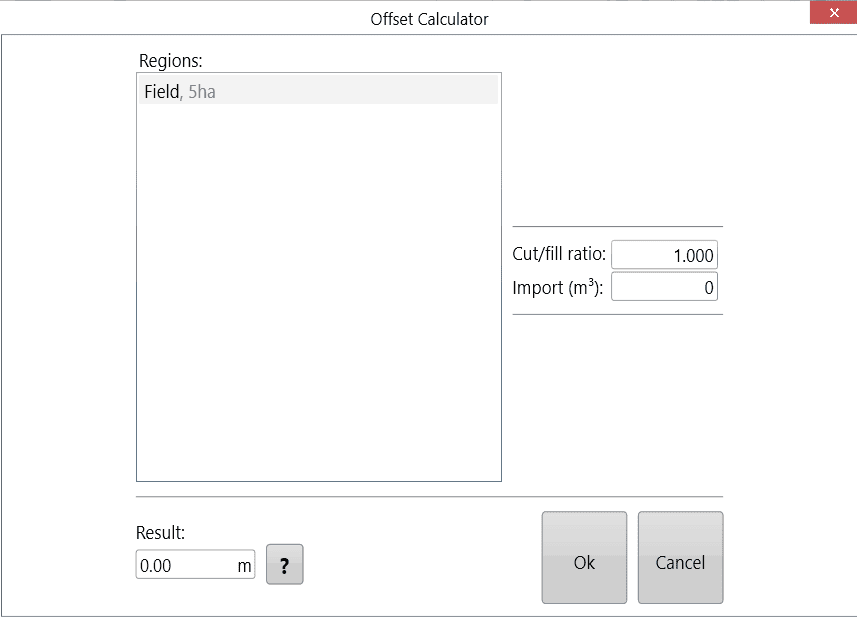
- <span dir="ltr" style="font-size: 14pt; font-family: Helvetica, sans-serif; color: rgb(0, 0, 0); font-weight: 300;">Use the calculator to adjust the offset amount. The calculator is useful if you want to offset the surface by a certain volume of imported or exported dirt. </span>
    
    
    - <span dir="ltr" style="font-size: 14pt; font-family: Helvetica, sans-serif; color: rgb(0, 0, 0); font-weight: 300;">Formular (Click '?' button to see)  
        </span><span dir="ltr" style="font-size: 14pt; font-family: Helvetica, sans-serif; color: rgb(0, 0, 0); font-weight: 300;">Left over volume = (Cut/Fill ratio \* Volumn of cut) + Volume of fill.  
        Result = (Import + Left over volume) / Selected area</span>

![OffsetCalculator.png](https://docs.t3rra.com/uploads/images/gallery/2025-12/pzpUXbpmE5UzGxOo-offsetcalculator.png)

<span style="font-size: 14pt; font-family: Helvetica, sans-serif; color: rgb(0, 0, 0); font-weight: 300;">Negative import values are considered exports.</span>

<span style="font-size: 14pt; font-family: Helvetica, sans-serif; color: rgb(0, 0, 0); font-weight: 300;">Press '</span><span style="font-size: 14pt; font-family: Helvetica, sans-serif; color: rgb(0, 0, 0); font-weight: 400;">**Apply**</span><span style="font-size: 14pt; font-family: Helvetica, sans-serif; color: rgb(0, 0, 0); font-weight: 300;">' (shown as the offset design icon) after parameters are entered.</span>

<span style="font-size: 14pt; font-family: Helvetica, sans-serif; color: rgb(0, 0, 0); font-weight: 300;">Once you are happy with the design follow the steps in the '</span>[<span style="font-size: 14pt; font-family: Helvetica, sans-serif; color: rgb(17, 85, 204); font-weight: 300; text-decoration-skip-ink: none;">completing your design</span>](https://t3rra-help.freshdesk.com/en/support/solutions/articles/51000330106-completing-your-design)<span dir="ltr" style="font-size: 14pt; font-family: Oswald, sans-serif; color: rgb(0, 0, 0); font-weight: 300;">' </span><span dir="ltr" style="font-size: 14pt; font-family: Helvetica, sans-serif; color: rgb(0, 0, 0); font-weight: 300;">section</span><span dir="ltr" style="font-size: 14pt; font-family: Oswald, sans-serif; color: rgb(0, 0, 0); font-weight: 300;">.</span>