# Markers

<span dir="ltr" style="font-size: 14pt; font-family: Helvetica, sans-serif; color: rgb(0, 0, 0); font-weight: 300;">![](https://docs.t3rra.com/uploads/images/gallery/2025-03/scaled-1680-/6UAv46xrsliqggjidbocwygkhccx7gu4emdpq-png.png)Markers on designs allow for setting points of interest at user-selected locations. This includes using a marker as a benchmark “control point” location in the design. To use a marker as a Benchmark location, refer to </span><span style="font-family: Helvetica,sans-serif;"><span style="font-size: 13pt; color: rgb(0, 0, 0); font-weight: bold;">‘</span><span style="font-size: 12pt; color: rgb(0, 0, 0);">**Set Zero using a marker**’</span><span dir="ltr" style="font-size: 14pt; color: rgb(0, 0, 0); font-weight: 300;"> in the Implementation section of this manual.</span></span>

<span style="font-family: Helvetica,sans-serif;">  
</span>

<span style="font-family: Helvetica,sans-serif;"><span style="font-size: 14pt; color: rgb(0, 0, 0); font-weight: 400;">**Set marker**</span><span style="font-size: 14pt; color: rgb(0, 0, 0); font-weight: 300;"> - use this tool to set a marker on the map. Markers are always placed at the current location.</span></span>
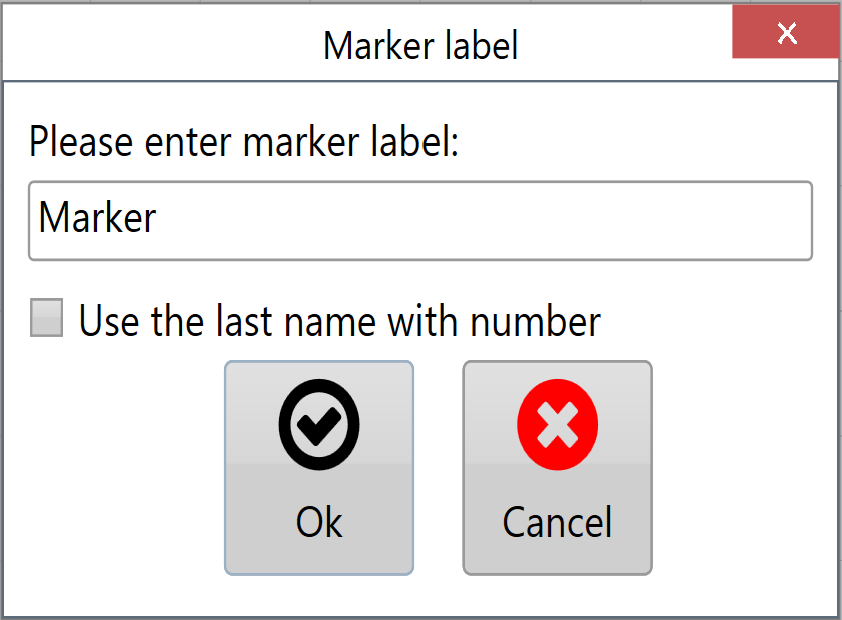
<span style="font-family: Helvetica,sans-serif;"><span dir="ltr" style="font-size: 14pt; color: rgb(0, 0, 0); font-weight: 300;">![](https://docs.t3rra.com/uploads/images/gallery/2025-03/scaled-1680-/B6uaozgmmrooe2rzkcdjjjxkvsncrtzgc20ug-png.png)When a new marker is created a window will appear allowing a name for the marker to be entered.</span></span>
<span style="font-family: Helvetica,sans-serif;">  
</span>

<span style="font-family: Helvetica,sans-serif;">  
</span>

<span style="font-family: Helvetica,sans-serif;">  
</span>

<span style="font-family: Helvetica,sans-serif;">  
</span>

<span dir="ltr" style="font-family: Helvetica,sans-serif;"><span class="fr-video fr-deletable fr-fvc fr-dvb fr-draggable"><iframe allowfullscreen="allowfullscreen" class="fr-draggable align-center" frameborder="0" height="360" sandbox="allow-scripts allow-forms allow-same-origin allow-presentation" src="https://www.youtube.com/embed/sk7BdYk62K8?&wmode=opaque" width="640"></iframe>

</span>  
</span>

<span style="font-family: Helvetica,sans-serif;"><span dir="ltr" style="font-size: 14pt; color: rgb(0, 0, 0); font-weight: 400;">![](https://docs.t3rra.com/uploads/images/gallery/2025-03/scaled-1680-/MJAqa83-ezbzf-gjs0btzpiakmlqrvn-eqg-png.png)**Edit Marker**</span><span style="font-size: 14pt; color: rgb(0, 0, 0); font-weight: 300;"> - this opens a window that allows you to select any marker on the map and edit it.</span></span>

<span style="font-family: Helvetica,sans-serif;">  
</span>

<span style="font-family: Helvetica,sans-serif;">  
</span>

<span style="font-family: Helvetica,sans-serif;">  
</span>

<span style="font-family: Helvetica,sans-serif;">  
</span>

<span style="font-family: Helvetica,sans-serif;"><span dir="ltr" style="font-size: 14pt; color: rgb(0, 0, 0); font-weight: 300;">The ‘Edit Marker’ button will open the below window allowing you to see the information of each marker that has been placed including heading, distance and height of the marker relative to your current position.</span></span>
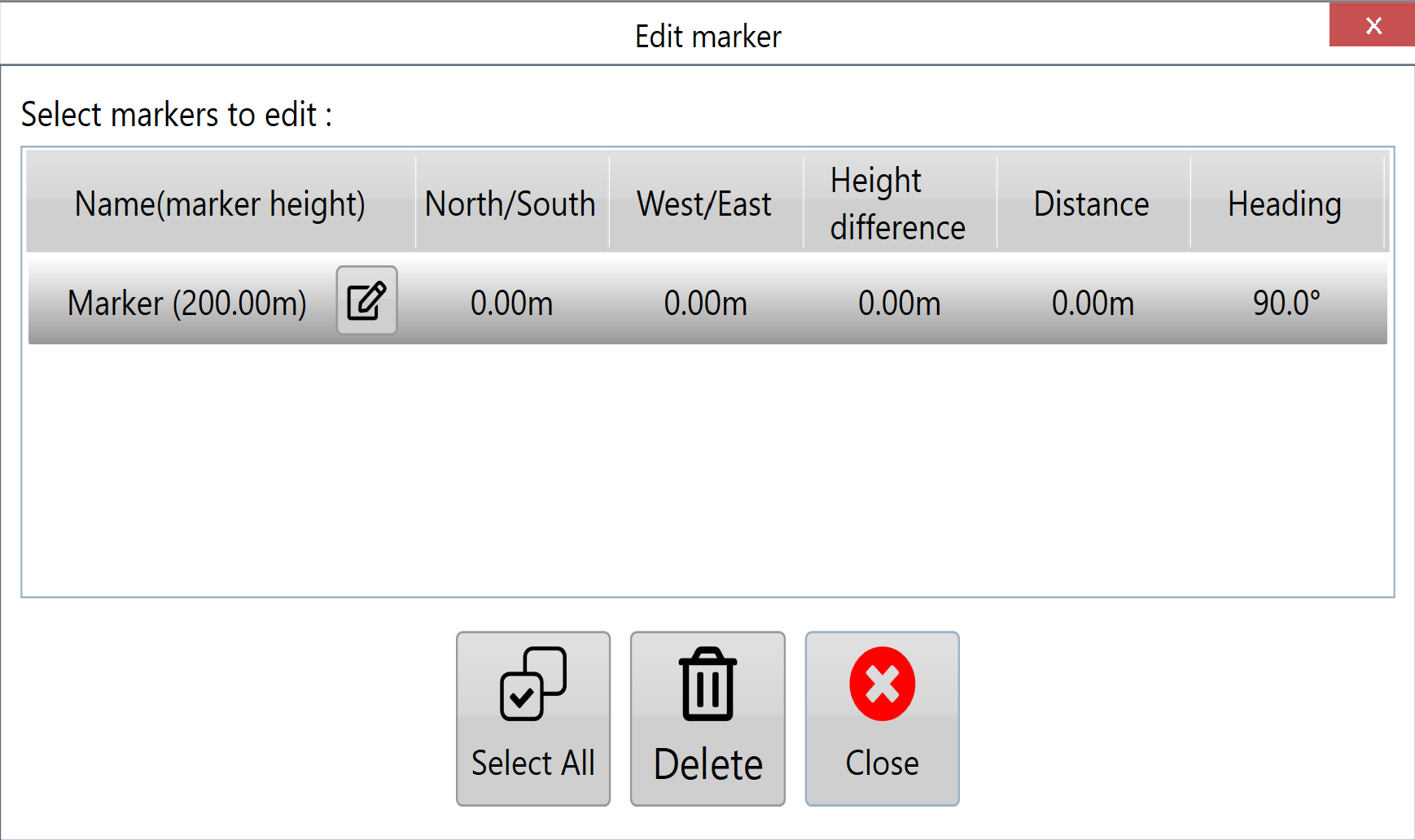
<span style="font-family: Helvetica,sans-serif;"><span dir="ltr" style="font-size: 14pt; color: rgb(0, 0, 0); font-weight: 300;">![](https://docs.t3rra.com/uploads/images/gallery/2025-03/scaled-1680-/PMk6iym8mprymcwlgoivantos9vnzet-eai7a-png.png)Pressing the button next to the marker name will let you change the name of the marker.</span></span>

<span style="font-size: 14pt; font-family: Helvetica, sans-serif; color: rgb(0, 0, 0); font-weight: 300;">The buttons at the bottom of the window allow you to select all the markers, delete the currently selected markers, export the currently selected markers and close the window. </span>