# 7.9 | Offset Design
<span style="font-weight: 300;">![Offset design tool icon](https://docs.t3rra.com/uploads/images/gallery/2025-03/scaled-1680-/CqZihfiipgsx5v-7kz1hx4kotyadxn104znga-png.png) Select the '</span><span style="font-weight: 400;">**Offset**</span><span style="font-weight: 300;">' button to raise or lower the surface height of a field or region. This can help with:</span>

- <span style="font-weight: 300;">Importing and exporting dirt</span>
- <span style="font-weight: 300;">Addition or removal of topsoil</span>
- <span style="font-weight: 300;">Raising pads</span>

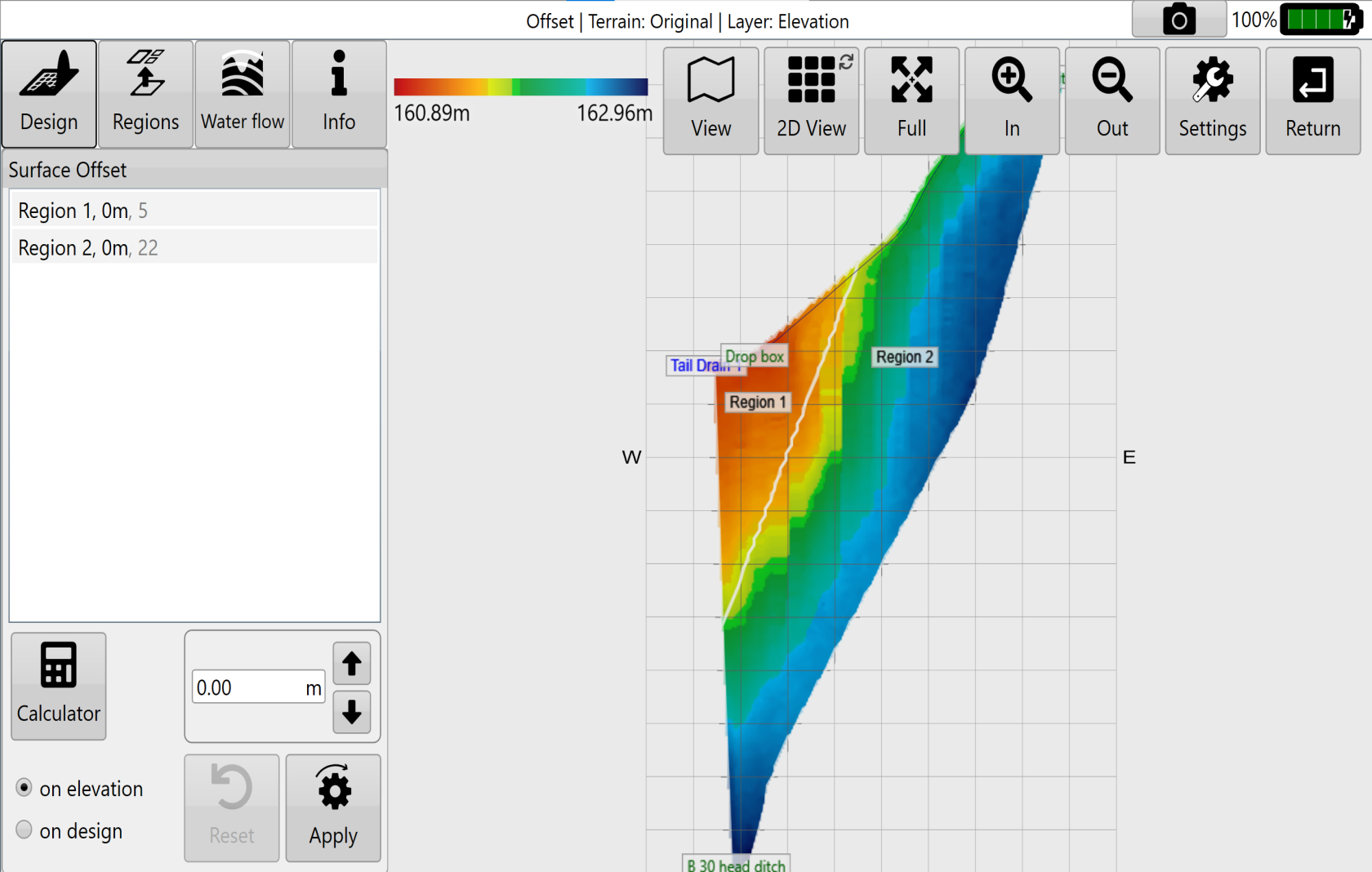
 ![Offset workspace with region list, offset controls and colour-coded map](https://docs.t3rra.com/uploads/images/gallery/2025-03/scaled-1680-/l5K0njagkquqirfkxnnlpsuikv-mapeidqdua-png.png)

<span class="fr-video fr-deletable fr-fvc fr-dvb fr-draggable fr-active"><iframe class="fr-draggable align-center" height="360" src="https://www.youtube.com/embed/RD0RZxdaVwA?&wmode=opaque" style="border: 0;" title="Watch the Offset Design video on YouTube" width="640"></iframe>

</span>

[Watch the Offset Design video on YouTube](https://www.youtube.com/watch?v=RD0RZxdaVwA)
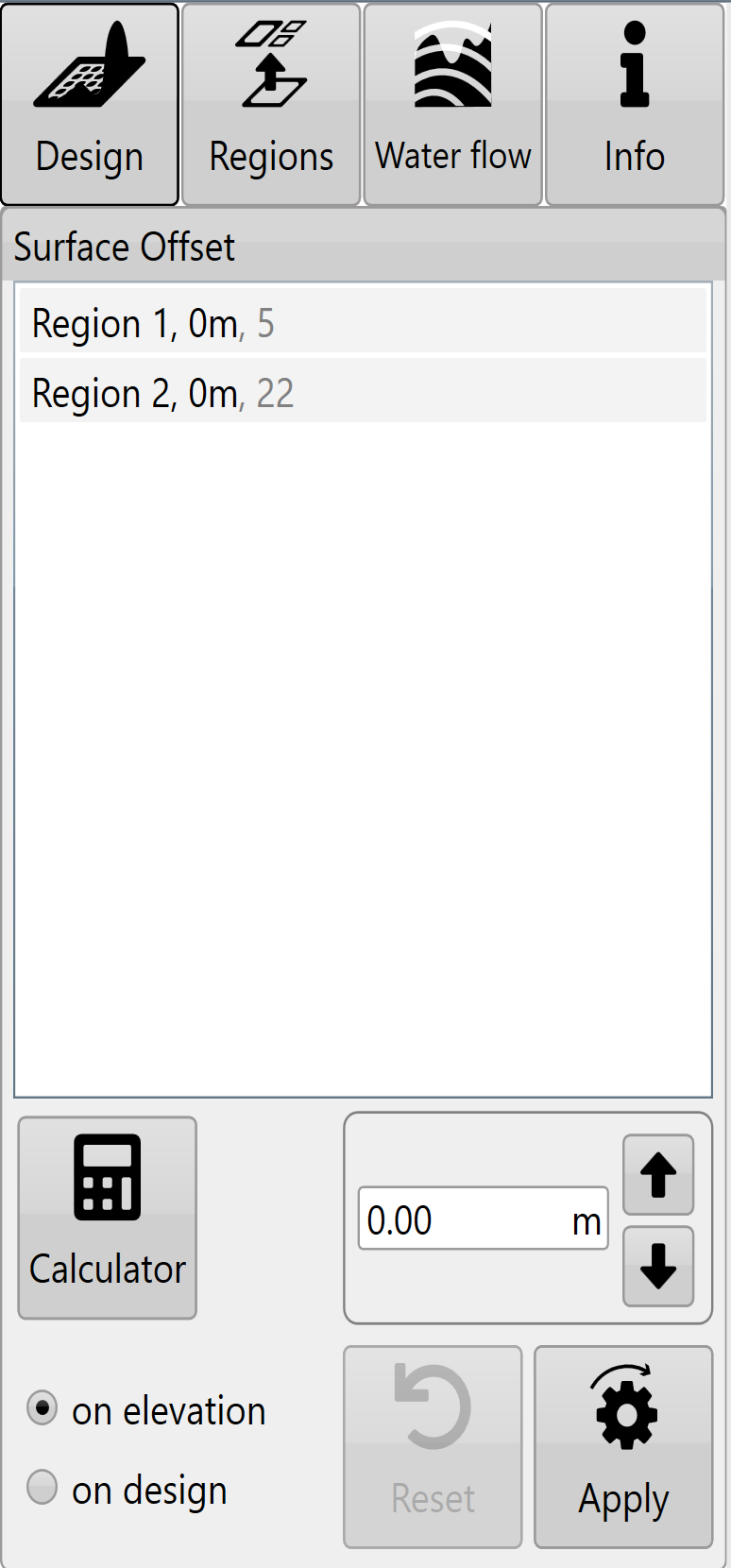
<span style="font-weight: 300;">![Surface Offset panel with region list, offset amount and calculator button](https://docs.t3rra.com/uploads/images/gallery/2025-03/scaled-1680-/fXxfe0gtw1m8-6cpqepudt9alguazpfj9pheg-png.png)You can either:</span>

- <span style="font-weight: 300;">Manually enter the desired offset amount (This can also be adjusted in set increments using the arrow buttons). </span>
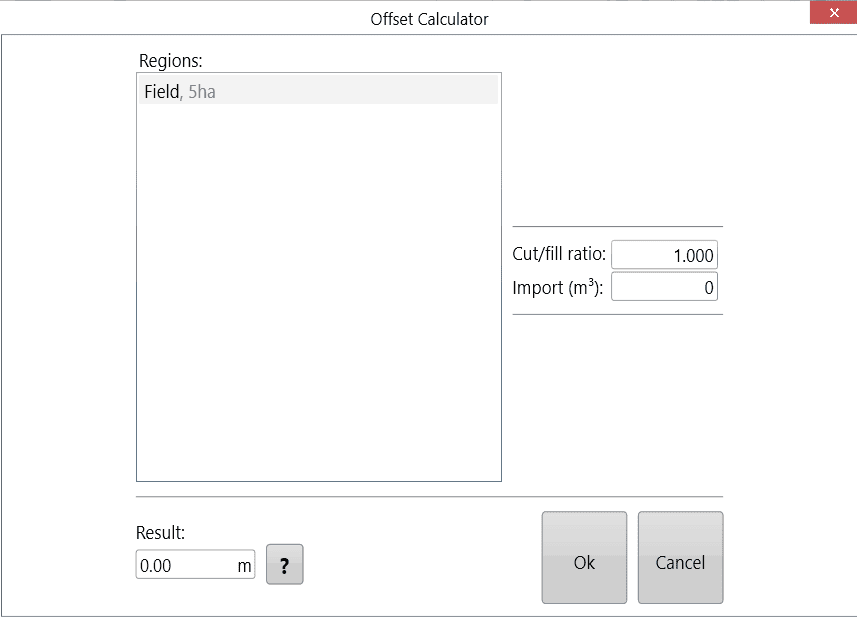
- <span style="font-weight: 300;">Use the calculator to adjust the offset amount. The calculator is useful if you want to offset the surface by a certain volume of imported or exported dirt. </span>
    
    
    - <span style="font-weight: 300;">Formular (Click '?' button to see)  
        </span><span style="font-weight: 300;">Left over volume = (Cut/Fill ratio \* Volumn of cut) + Volume of fill.  
        Result = (Import + Left over volume) / Selected area</span>

![Offset Calculator dialog with regions, cut/fill ratio, import and result fields](https://docs.t3rra.com/uploads/images/gallery/2025-12/pzpUXbpmE5UzGxOo-offsetcalculator.png)

<span style="font-weight: 300;">Negative import values are considered exports.</span>

<span style="font-weight: 300;">Press '</span><span style="font-weight: 400;">**Apply**</span><span style="font-weight: 300;">' (shown as the offset design icon) after parameters are entered.</span>

<span style="font-weight: 300;">Once you are happy with the design follow the steps in the '</span>[<span style="font-weight: 300;">completing your design</span>](https://t3rra-help.freshdesk.com/en/support/solutions/articles/51000330106-completing-your-design)<span style="font-weight: 300;">' </span><span style="font-weight: 300;">section</span><span style="font-weight: 300;">.</span>