# 7.1 | Design

<div dir="ltr" id="bkmrk-" style="text-align: left; margin-left: 0pt; font-family: Helvetica, sans-serif;"><span style="font-weight: 300;">![G6bosjnxzxb-psykblvch8jdihzlods17rtca-png.png](https://docs.t3rra.com/uploads/images/gallery/2025-03/scaled-1680-/G6bosjnxzxb-psykblvch8jdihzlods17rtca-png.png)</span>  
</div><div dir="ltr" id="bkmrk-measure-twice%2C-cut-o" style="text-align: center; margin-left: 0pt; font-family: Helvetica, sans-serif;"><span style="font-weight: 300;">**Measure twice, cut once.** </span></div><span style="font-weight: 300;">It’s an old maxim but a good one. You can do as many designs as you want in T3RRA software before you ever put your tractor into gear. Use our 3D visualization and rainfall simulation tools to carefully examine the effect of any design. Evaluate the volumes of dirt being predicted and ensure that they are within expectations. Catching a design error in the software is much less painful than having to redo many hours of dirt moving.</span>

<span style="font-weight: 300;">Remember that computers are fallible. Never blindly follow a design you are given. Critically assess whether the computer output matches what is happening in the real world. It is not a given that it will!</span>

<span style="font-weight: 300;">Try to start small with simple designs and little fields. Mistakes, and the lessons learned from them, build your experience and capability - but it is far better to do your learning on small jobs!</span>

<p class="callout warning"><span style="font-weight: 300;">If you are in doubt, please seek the advice of a professional irrigation designer or engineer. </span></p>

<p class="callout warning"><span style="font-weight: 300;">The design step is not compulsory and can be skipped if desired. HOWEVER this is not recommended unless you have a specific task where only a copy of the surveyed data is required.</span></p>

## <span style="font-weight: 400;">**Design capabilities present in different T3RRA software packages**</span>

<span style="font-weight: 300;">The ‘</span><span style="font-weight: 400;">**Create design**</span><span style="font-weight: 300;">’ page is presented to you when you advance to the ‘</span><span style="font-weight: 400;">**Design**</span><span style="font-weight: 300;">’ wizard step. The tools you will see differ based on the specific T3RRA software you are using. This is because each package is aimed at a certain user type and market segment.</span>

<span style="font-weight: 300;">A surfaced elevation map is the starting point for creating a new field design. Determining an optimal terrain design is very specific to the conditions that exist on an individual farm. Cropping practices, existing topography, soil types, costs, available machinery, and many other factors apply. Even if you are not intending to do full field land forming (such as is the case when only creating ditches) we still see great value in fully surveying a field. All of our packages allow you the capability of doing this. All of our design tools show you the surface in 3D and can run a rainfall simulation on it. </span>

<span style="font-weight: 300;">In general, the design aims of each package are explained over the next few pages:</span>

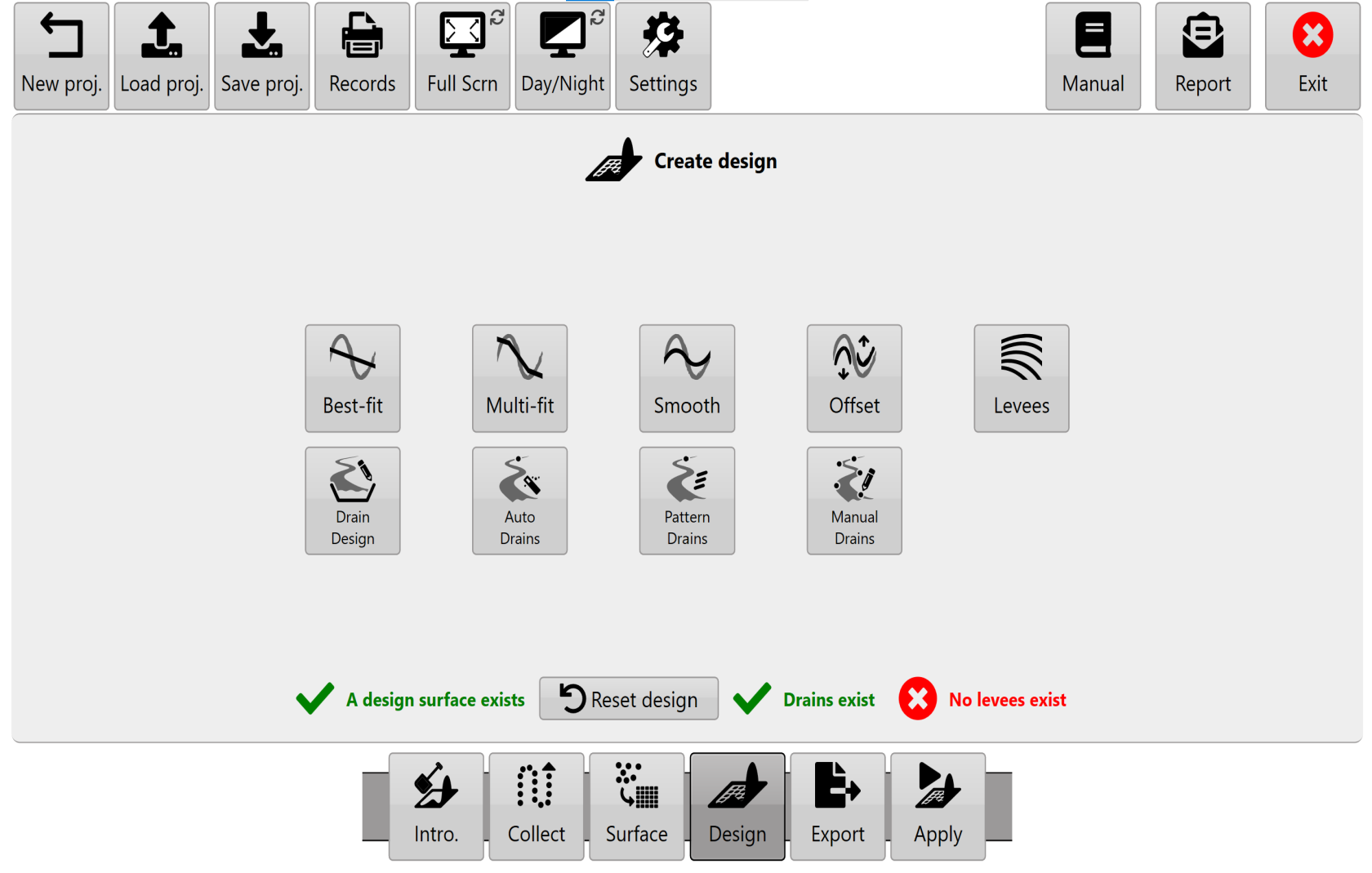
<span style="font-weight: 300;">T3RRA Cutta provides tools for GPS based land-forming, ditching, and levee creation.</span>

![dDcymw4cbdfelwsrmbkw7cwtwtkb5lhox4nua-png.png](https://docs.t3rra.com/uploads/images/gallery/2025-03/scaled-1680-/dDcymw4cbdfelwsrmbkw7cwtwtkb5lhox4nua-png.png)

<span style="font-weight: 300;">In order to provide solutions that are as broadly applicable as possible T3RRA Cutta includes a variety of design methods:</span>

<div dir="ltr" id="bkmrk-single-or-dual-best-" style="text-align: left; margin-left: 0pt; font-family: Helvetica, sans-serif;"><table style="border: none; border-collapse: collapse;"><colgroup><col style="width: 291px;"></col><col style="width: 291px;"></col></colgroup><tbody><tr style="height: 85pt;"><td style="padding: 7pt; overflow: hidden; width: 47%; border: 1pt solid rgb(255,255,255);">- <span style="font-weight: 300;">Single or dual best-fit planes</span>
- <span style="font-weight: 300;">Multi-fit optimization</span>
- <span style="font-weight: 300;">Smoothing</span>
- <span style="font-weight: 300;">Offsetting</span>

</td><td style="padding: 7pt; overflow: hidden; width: 52.6667%; vertical-align: top; border: 1pt solid rgb(255,255,255);">- <span style="font-weight: 300;">Drain profile and cross section design</span>
- <span style="font-weight: 300;">Automated drain path creation</span>
- <span style="font-weight: 300;">Pattern drain design</span>
- <span style="font-weight: 300;">Levees</span>

</td></tr></tbody></table>

</div><p class="callout warning"><span style="font-weight: 300;">NOTE: A powerful capability of T3RRA Cutta is the ability to “chain” designs together. As well as performing designs on the original field surface, you can also perform designs on an existing design. For instance, after performing a multi-fit design, you can then go and use the '</span><span style="font-weight: 400;">**Smoothing**</span><span style="font-weight: 300;">' tool to smooth the multi-fit design. Use this capability methodically and with care - it is easy to get confused!</span></p>

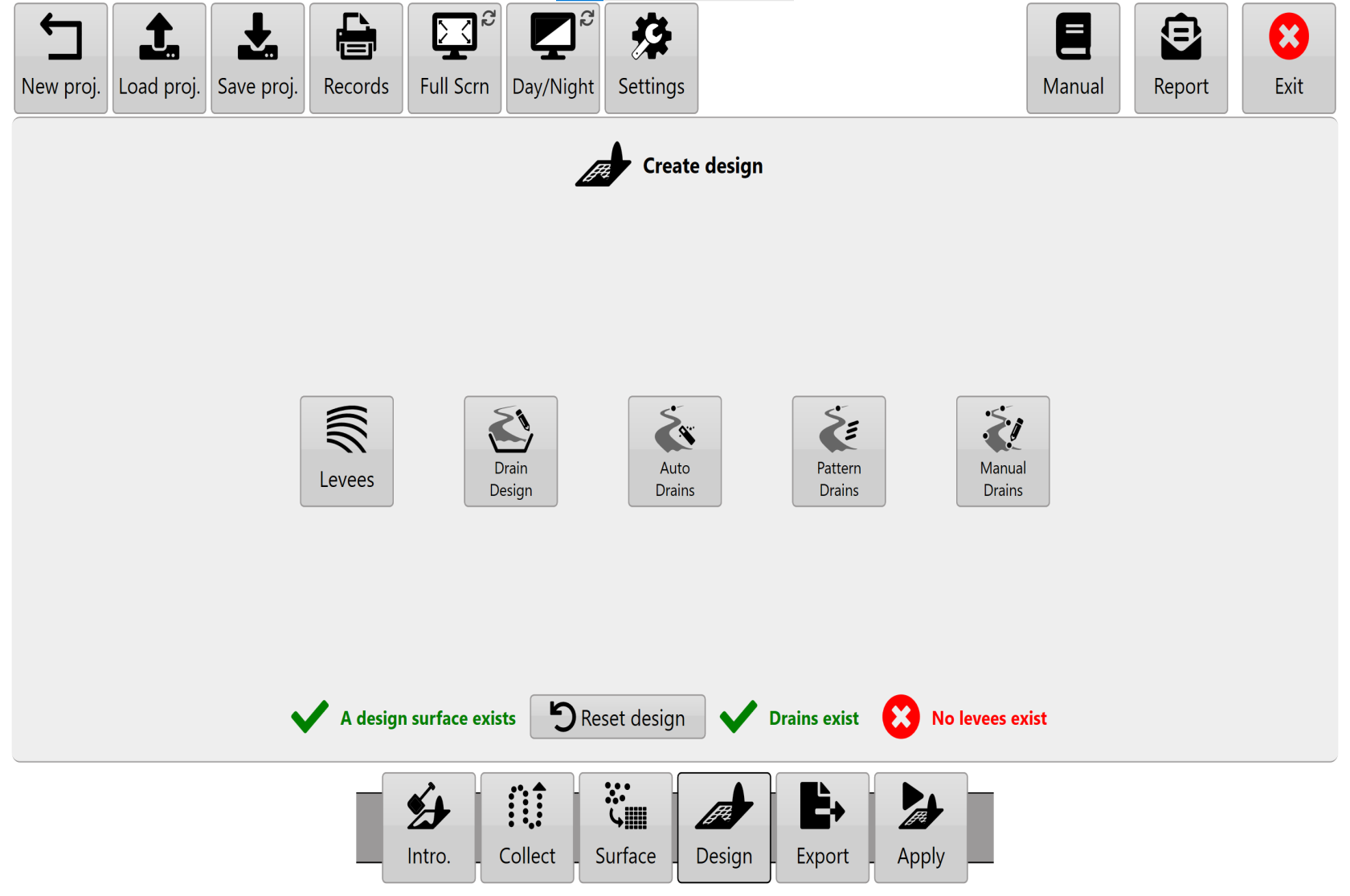
<span style="font-weight: 300;">T3RRA Ditch provides tools for ditching and levee work</span>

![x3kyguowmqxhqaiijcqihs-cqnwpvdh9cwvra-png.png](https://docs.t3rra.com/uploads/images/gallery/2025-03/scaled-1680-/x3kyguowmqxhqaiijcqihs-cqnwpvdh9cwvra-png.png)

- <span style="font-weight: 300;">Drain profile and cross section design</span>
- <span style="font-weight: 300;">Automated drain path creation</span>
- <span style="font-weight: 300;">Pattern drain design</span>
- <span style="font-weight: 300;">Levees (including regions)</span>
- <span style="font-weight: 300;">Manual drain design</span>

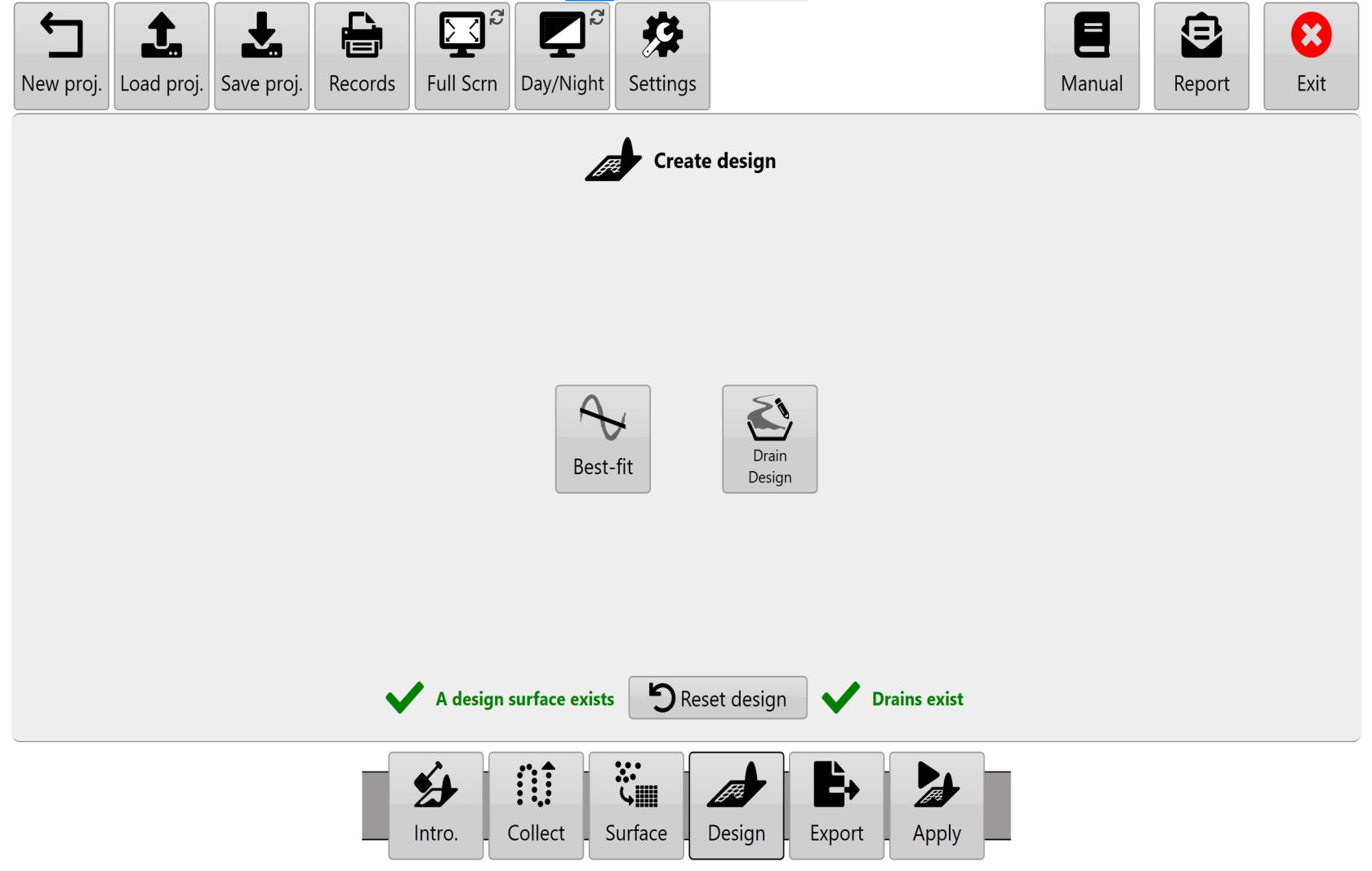
T3RRA Plane provides tools for laser based levelling and ditches
![NAKw28pslgx8ivd0kpdggen1rghvls5mpc1bq-png.png](https://docs.t3rra.com/uploads/images/gallery/2025-03/scaled-1680-/NAKw28pslgx8ivd0kpdggen1rghvls5mpc1bq-png.png)

<span style="font-weight: 300;">T3RRA Plane can’t do non-linear surface designs. But we wanted to make sure that it can do anything you can do with a laser level. </span>

<div dir="ltr" id="bkmrk-single-or-dual-best--1" style="text-align: left; margin-left: 0pt; font-family: Helvetica, sans-serif;"><table style="border: none; border-collapse: collapse;"><colgroup><col style="width: 291px;"></col><col style="width: 291px;"></col></colgroup><tbody><tr style="height: 85pt;"><td style="padding: 7pt; overflow: hidden; vertical-align: top; border: 1pt solid rgb(255,255,255);">- <span style="font-weight: 300;">Single or dual best-fit planes</span>

</td><td style="padding: 7pt; overflow: hidden; vertical-align: top; border: 1pt solid rgb(255,255,255);">- <span style="font-weight: 300;">Linear Drain profile and cross section design</span>

</td></tr></tbody></table>

</div><span style="font-weight: 300;">**Design icons.**</span>

<span style="font-weight: 300;">T3RRA software attempts to divide design functionality into discrete tools. </span>

- <span style="font-weight: 300;">Select Best-fit, Multi-fit, Smooth &amp; Offset to design a field surface area. </span>
- <span style="font-weight: 300;">Select Auto-Drains or Pattern Drains to place drain paths on the surface. </span>
- <span style="font-weight: 300;">Select Drain design to design the profile and cross section of drains.</span>
- <span style="font-weight: 300;">Select Levees to add levees to the surface. </span>

<span style="font-weight: 300;">NOTE: If you have a drain/field combination to design, always design the field first and the drain second.</span>

![39nmhihj5v7dzug72plsnodkzw8fezlfkqq8a-png.png](https://docs.t3rra.com/uploads/images/gallery/2025-03/scaled-1680-/39nmhihj5v7dzug72plsnodkzw8fezlfkqq8a-png.png)