# 4. Cut/Fill information display

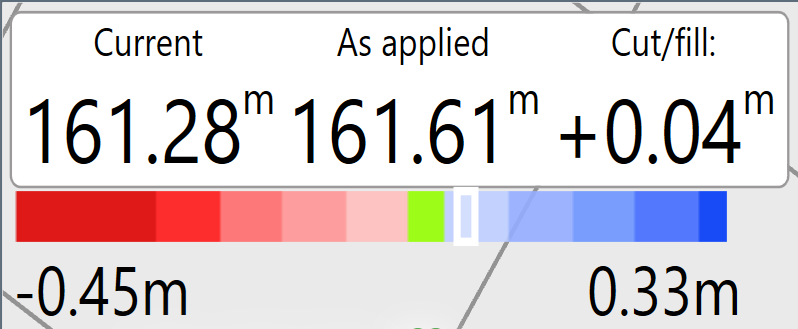
<span style="font-size: 14pt; font-family: Helvetica, sans-serif; color: rgb(0, 0, 0); font-weight: 300;">In the upper left corner of the screen more information is shown about current ground height, design ground height and the amount needing to be added/removed.</span>

<span dir="ltr" style="font-size: 14pt; font-family: Helvetica, sans-serif; color: rgb(0, 0, 0); font-weight: 300;">The Horizontal color bar will display a color graded scale of cut and fill amounts and the white marker will show the height of the current location.</span>

<span dir="ltr" style="font-size: 14pt; font-family: Helvetica, sans-serif; color: rgb(0, 0, 0); font-weight: 300;">![](https://docs.t3rra.com/uploads/images/gallery/2025-03/scaled-1680-/3Ypvdb3kebrucs-8a-xewexnq-6nfcqmengiq-png.png)</span>