# View in Google Earth, does not open

<span style="font-size: 16px;">**![](https://docs.t3rra.com/uploads/images/gallery/2025-03/scaled-1680-/k3qcscc69k7wv9w4z-oxarkvkmljnag7sa-png.png)Symptoms:**</span>

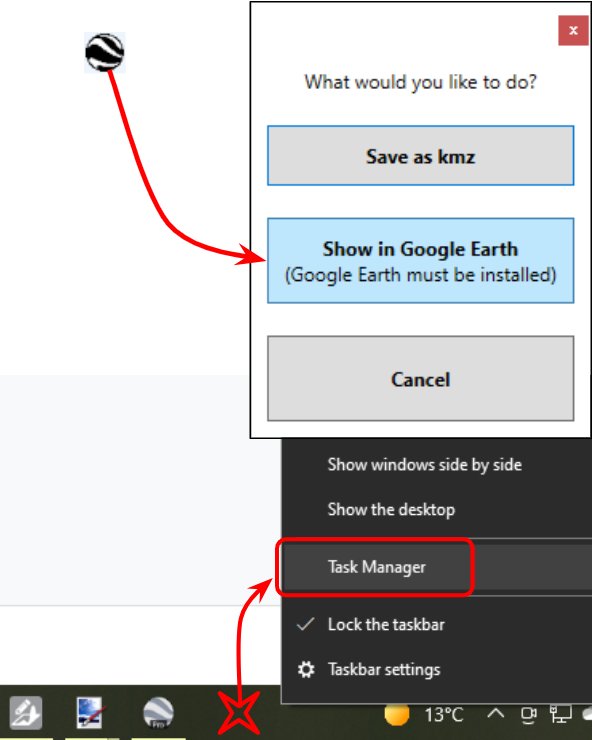
<span style="font-size: 16px;">Clicking the Show in Google Earth button doesn’t work.</span>

<span style="font-size: 16px;">Opening Google Earth doesn’t work either.</span>

<span style="font-size: 16px;">  
</span>

<span style="font-size: 16px;">**Cause:**</span>

<span style="font-size: 16px;">Google Earth has stalled and is not responding.</span>

<span style="font-size: 16px;">  
</span>

<span style="font-size: 16px;">**Solutions:**</span>

<span style="font-size: 16px;">Restart your computer.</span>

<span style="font-size: 16px;">To avoid having to restart your computer, open Task Manager by right-clicking a blank part of the taskbar (usually at the bottom of the screen) and selecting Task Manager.</span>

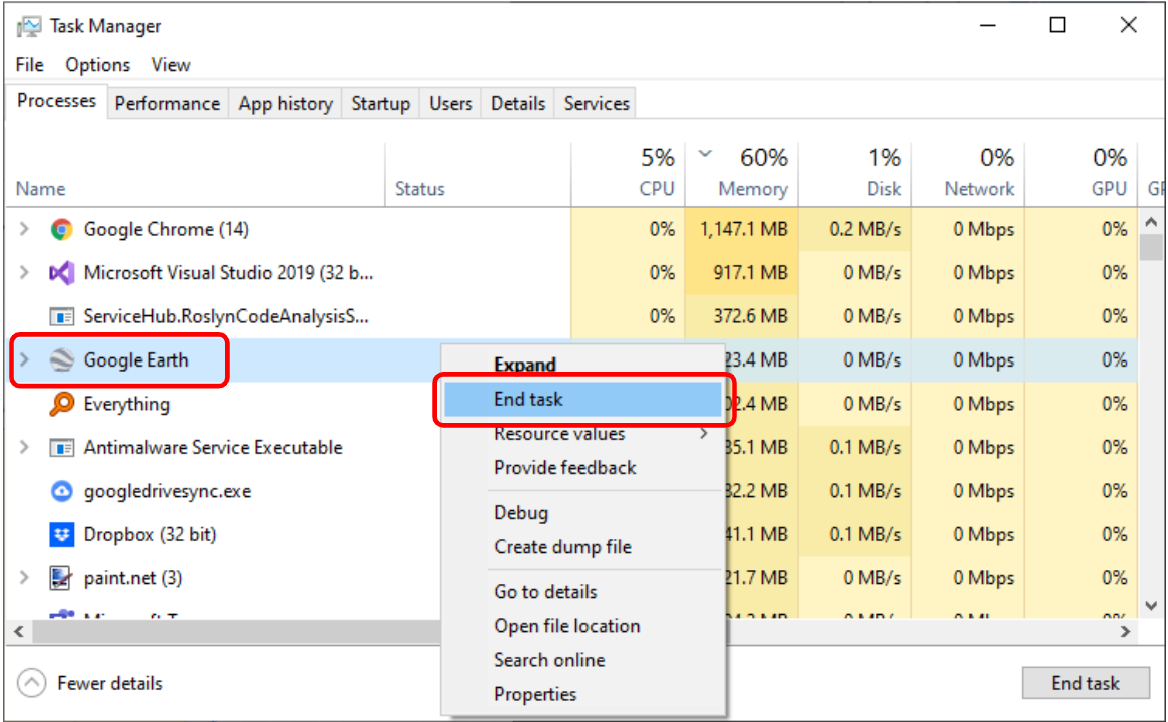
<span style="font-size: 16px;">Then, under the Processes tab, right-click on Google Earth and choose End task. Then Google Earth should start up successfully the next time you try.</span>

![](https://docs.t3rra.com/uploads/images/gallery/2025-03/scaled-1680-/0zzf6l6jq4g5syyq9busfajbdvvtrfrjpg-png.png)