# Software fails to start

<span style="font-size: 16px;">Symptoms:</span>

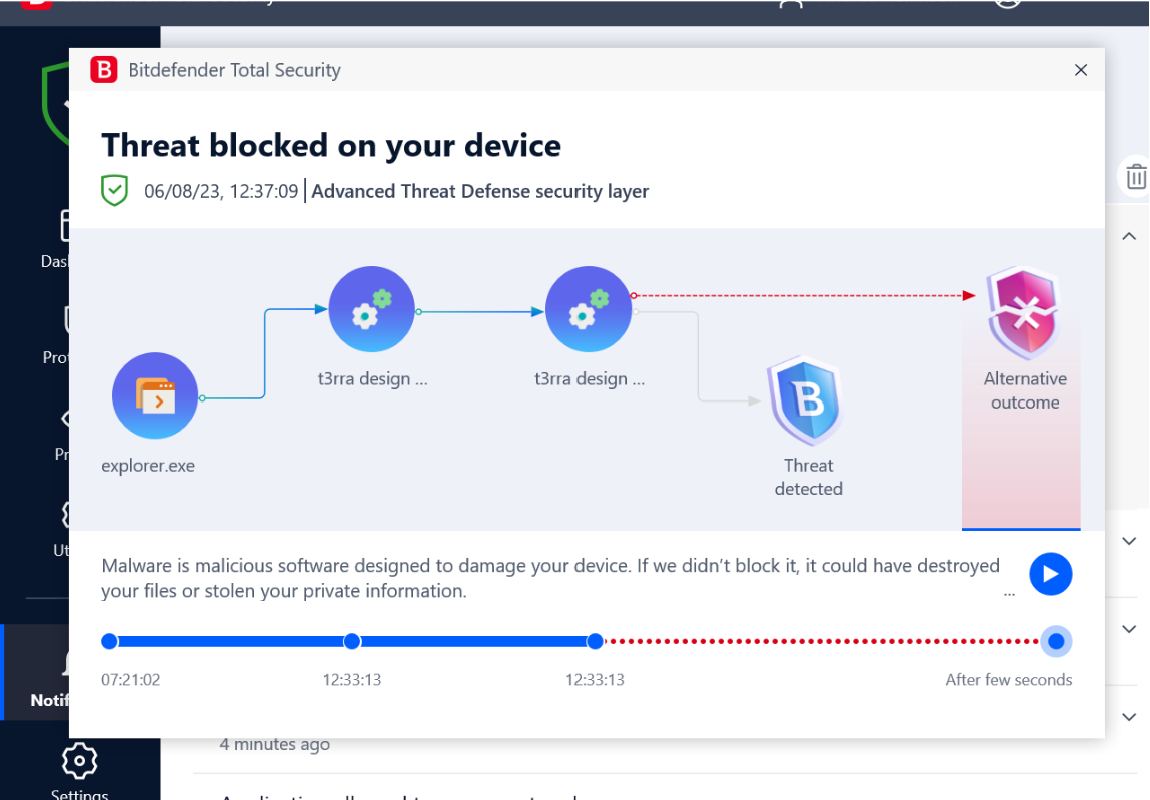
<span style="font-size: 16px;">T3RRA Design Plus will not start, or the T3RRA Design Plus update does not work after downloading a new version.</span>

<span style="font-size: 16px;">![](https://docs.t3rra.com/uploads/images/gallery/2025-03/scaled-1680-/hcbpip97n94uckm-rlxllv0hhc2jd4zf5a-png.png)</span>

<span style="font-size: 16px;">Cause:</span>

<span style="font-size: 16px;">  
</span>

<span style="font-size: 16px;">Solutions:</span>

<span style="font-size: 16px;">It may be necessary to switch to another version of antivirus software, or to add an exclusion for the T3RRA Design Plus folder. Most reputable antivirus software providers provide instructions on how to add an exclusion. </span>

<span style="font-size: 16px;">Follow the below links if you use one of these antivirus software:</span>

<span style="font-size: 16px;">Bitedefender</span>

<span style="font-size: 16px;">AVG AntiVirus </span>

<span style="font-size: 16px;">Malwarebytes</span>

<span style="font-size: 16px;">  
</span>

<span style="font-size: 16px;">When adding an exclusion, the path to exclude is:</span>

<span style="font-size: 16px;">%LOCALAPPDATA%\\T3RRADesignPlus</span>

<span style="font-size: 16px;">(e.g. C:\\Users\\YourUserName\\AppData\\Local\\T3RRADesignPlus)</span>