# Export to *.gps control file does not load/display properly
**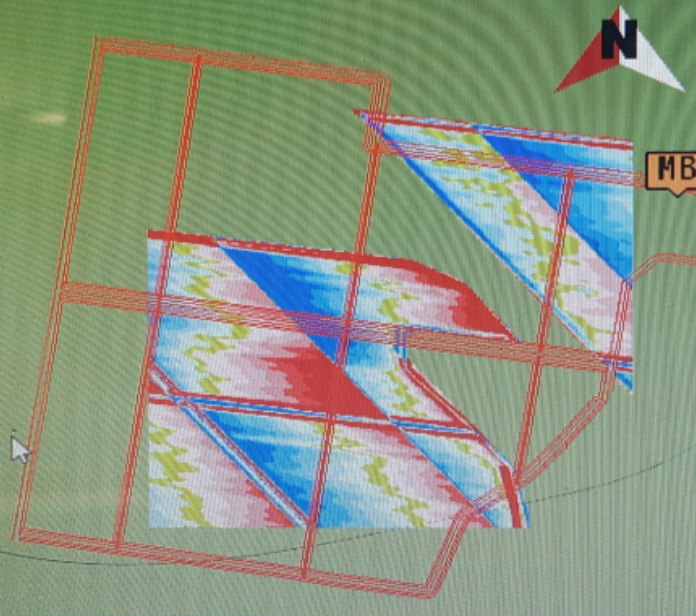Symptoms:**
When the .gps file is loaded into the display, the map is in the wrong place, part of it is missing, and/or the scale is wrong. For example, note the linework to surface mismatch on the right.
**Cause:**
Trimble FMX and TMX displays can only display a certain size file. \*.gps files larger than 1MB or with too many pixels will not load correctly in FMX displays due to memory limitations.
**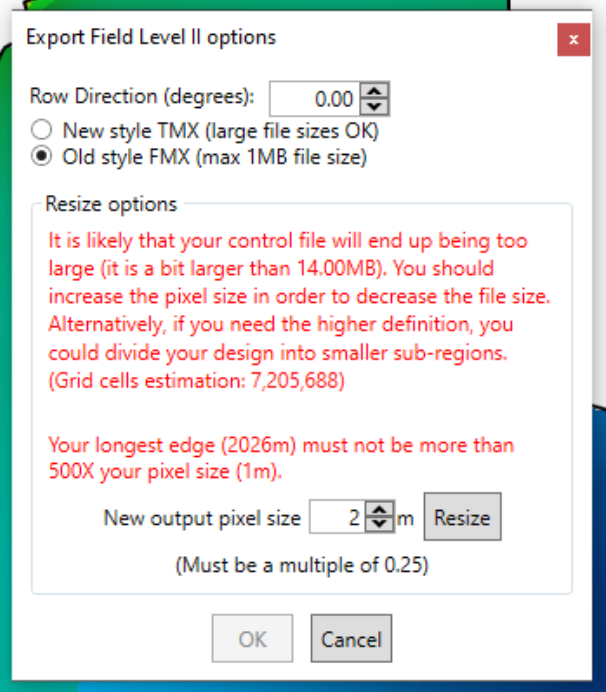Solutions:**
Export again with a smaller file size. This can be done during export by simplifying to a larger pixel size. When selecting FMX, the limitations are more clearly shown, and you can resize to a larger pixel size in the export dialog:
You can also export a smaller size without increasing pixel size if you split the field into subsections. It may help to still have some overlap.