Exporting
- Printing to PDF - Logo is upside down
- Export to *.gps control file does not load/display properly
- View in Google Earth, does not open
- Export to *.gps control file is too far from benchmark
Printing to PDF - Logo is upside down
Symptoms:
The logo is upside down when a design is printed to PDF.

Cause:
Using a custom Print to PDF tool. For example, Foxit PDF Printer.
Solutions:
Use the built in “Microsoft Print to PDF” printer. This one is free and provided with Windows.

Export to *.gps control file does not load/display properly
 Symptoms:
When the .gps file is loaded into the display, the map is in the wrong place, part of it is missing, and/or the scale is wrong. For example, note the linework to surface mismatch on the right.
Cause:
Trimble FMX and TMX displays can only display a certain size file. *.gps files larger than 1MB or with too many pixels will not load correctly in FMX displays due to memory limitations.
 Solutions:
Export again with a smaller file size. This can be done during export by simplifying to a larger pixel size. When selecting FMX, the limitations are more clearly shown, and you can resize to a larger pixel size in the export dialog:
You can also export a smaller size without increasing pixel size if you split the field into subsections. It may help to still have some overlap.
View in Google Earth, does not open
 Symptoms:
Clicking the Show in Google Earth button doesn’t work.
Opening Google Earth doesn’t work either.
Cause:
Google Earth has stalled and is not responding.
Solutions:
Restart your computer.
To avoid having to restart your computer, open Task Manager by right-clicking a blank part of the taskbar (usually at the bottom of the screen) and selecting Task Manager.
Then, under the Processes tab, right-click on Google Earth and choose End task. Then Google Earth should start up successfully the next time you try.

Export to *.gps control file is too far from benchmark
Symptoms:
When the .gps file is loaded into the display, the system complains that the field is too far from the benchmark.
Cause:
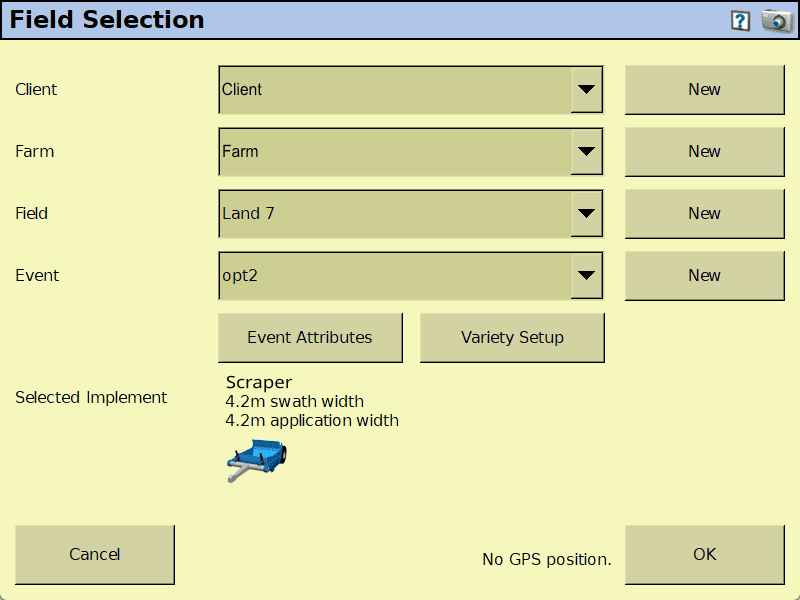
When the previous design's field is left selected in the display, it will try to use the previous benchmark, which may be too far away.
Solutions:
Select the correct Client, Farm, and Field. You may need to create a new field to load the design into.