# Point to Point Creation
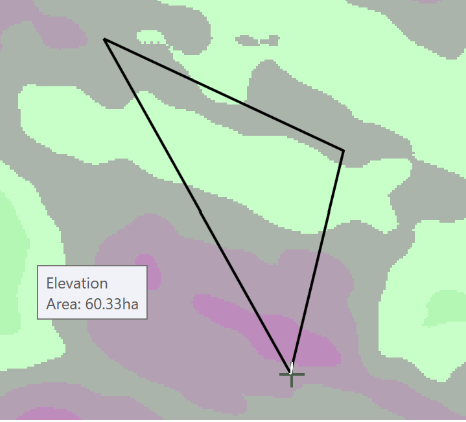‘Point to Point Creation’ changes the mouse icon to a cross. While in this mode, clicking anywhere in the working area will add a point. These points anchor the line that appears on the screen with the last point and the first point connecting automatically to create a closed boundary line at all times. In order to complete and add the boundary to the layer selection, double click on the last desired point.
When creating boundaries, try to hug the surface fairly closely. Boundaries allocate memory for each pixel (blank ones too), so having extra space can slow down processing or cause out-of-memory errors.