# Boundaries, Regions and Guides
**Boundaries**

The toolbars specifically for Boundaries are:
- Boundaries
T3RRA Design Plus boundaries are used to limit the extent of a design. They are different to regions in that they typically outline the entire project area.
After a surface is imported into T3RRA Design Plus, a boundary will need to be either imported or created to tell T3RRA Design Plus where the desired edges of the surface are.
These are explained in more detail in Boundary Tools
**Regions**
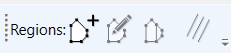
The toolbar specifically for Regions are:
- Regions
Regions in T3RRA Design Plus are flexible and easy to place. Non-linear shaped regions can be easily made by using the point-to-point creation tool or the line split tool. Regions can be used to split a design surface into many sub-surfaces, allowing the user to easily modify multiple parts of the surface independently.
These are explained in more detail in Region Tools
**Guides**

The toolbars specifically for Guides are:
- Guides
Guides are typically used as visual markers and aids when designing. The guides are powerful when visualising and planning the project and can be leveraged to design from and modify the surfaces with many of the tools available. It is possible to add:
- Labels at specific points, useful as benchmarks and references
- Straight and segmented lines, and AB lines
- Polygons to indicate specific areas (however, use regions to design in specific areas)
- Strips
- Circles
These are explained in more detail in Guide Tools