# Regular Smoothing

<span style="font-size: 18px; font-family: Arial, Helvetica, sans-serif; color: rgb(0, 0, 0); font-weight: 300;">Regular smoothing applies an averaging filter to the surface of the field to remove bumps and dips. <span dir="ltr">![](https://docs.t3rra.com/uploads/images/gallery/2025-03/scaled-1680-/zP6mwmvzohl1i0g4gcxwwt1pkr-rqfxwqc68g-png.png)</span></span>
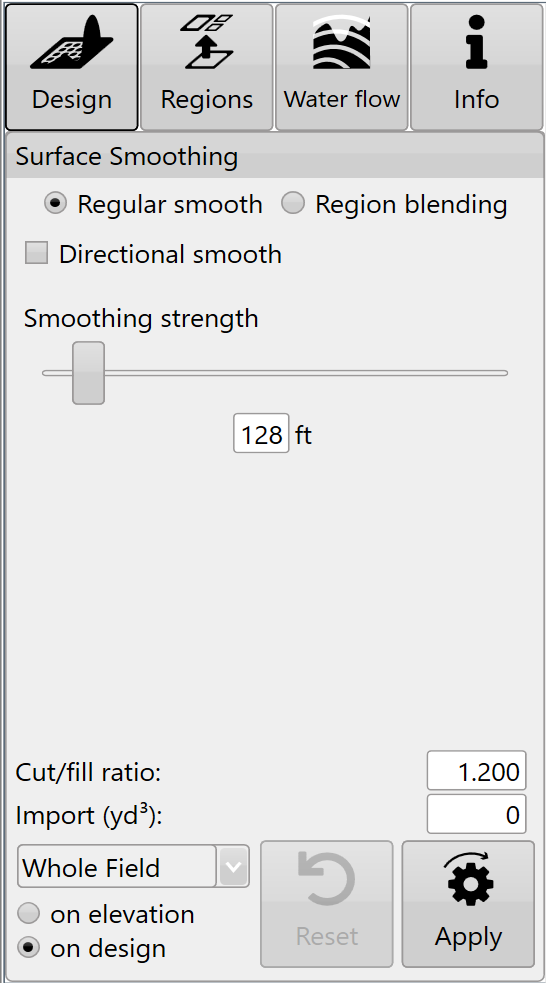
<span style="font-size: 18px;"><span style="font-family: Arial,Helvetica,sans-serif;"><span style="color: rgb(0, 0, 0); font-weight: 300;">The ‘</span><span style="color: rgb(0, 0, 0); font-weight: 400;">Smoothing strength</span><span style="color: rgb(0, 0, 0); font-weight: 300;">’ slide bar controls how smooth it is by increasing the radius that is used in calculations. The smaller the slider value, the less of an effect the smoothing will have. </span></span></span>

<span style="font-size: 18px; font-family: Arial, Helvetica, sans-serif; color: rgb(0, 0, 0); font-weight: 300;">Smoothing can be applied to the whole field, or to individual regions. It can be applied to the original surface, or to an existing design.</span>