# 6.1 | The T3RRA Wizard

The wizard guides you through the 4 logical steps in the T3RRA software process.
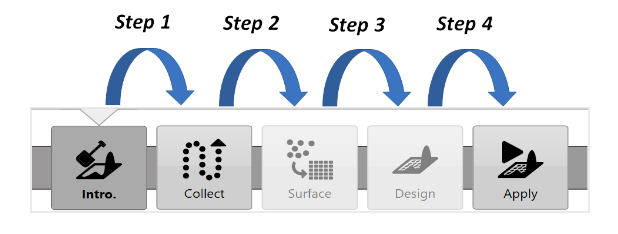
![Wizard navigation from Intro. through Collect, Surface, Design and Apply, with Step 1 to Step 4 arrows.](https://docs.t3rra.com/uploads/images/gallery/2025-03/scaled-1680-/YJkzedfnpukpbolkr8fj40irbmgp-5rcymfiq-png.png)

To start a new project, press **New proj.** in the top left corner of any wizard page. This returns you to the **Main Page/New Project Page**.
![New proj. button with a return arrow.](https://docs.t3rra.com/uploads/images/gallery/2025-03/scaled-1680-/NuPt-fzjgkkq7kagewuvt0zkjfu53cgbj60eg-png.png)

<span id="bkmrk--7"></span><span id="bkmrk--8"></span><span id="bkmrk--9"></span>

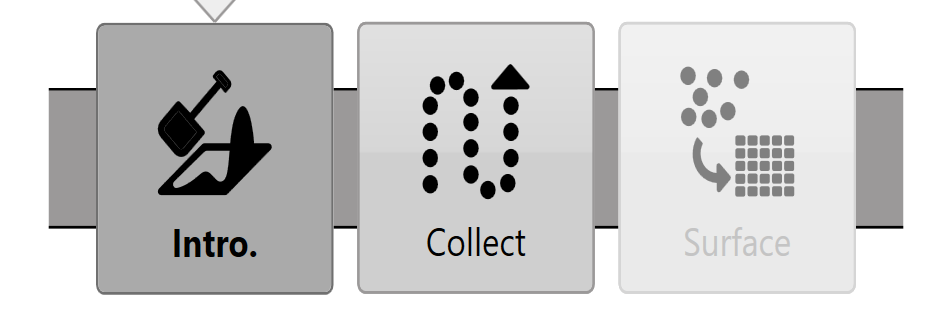
![T3RRA Survey navigation showing Intro., Collect and Surface only.](https://docs.t3rra.com/uploads/images/gallery/2025-03/scaled-1680-/mb7lhrljheawke-g8pffeq8t9efpfqp-vg35g-png.png)

**T3RRA Survey 3** does not include the **Design** or **Apply** (Implementation) wizard steps. Manual sections about these steps do not apply to **T3RRA Survey 3**.