7.6 | Support & Error Reporting
The Support & Error Reporting tools allow operators and dealers to receive remote assistance and provide feedback directly to T3RRA.
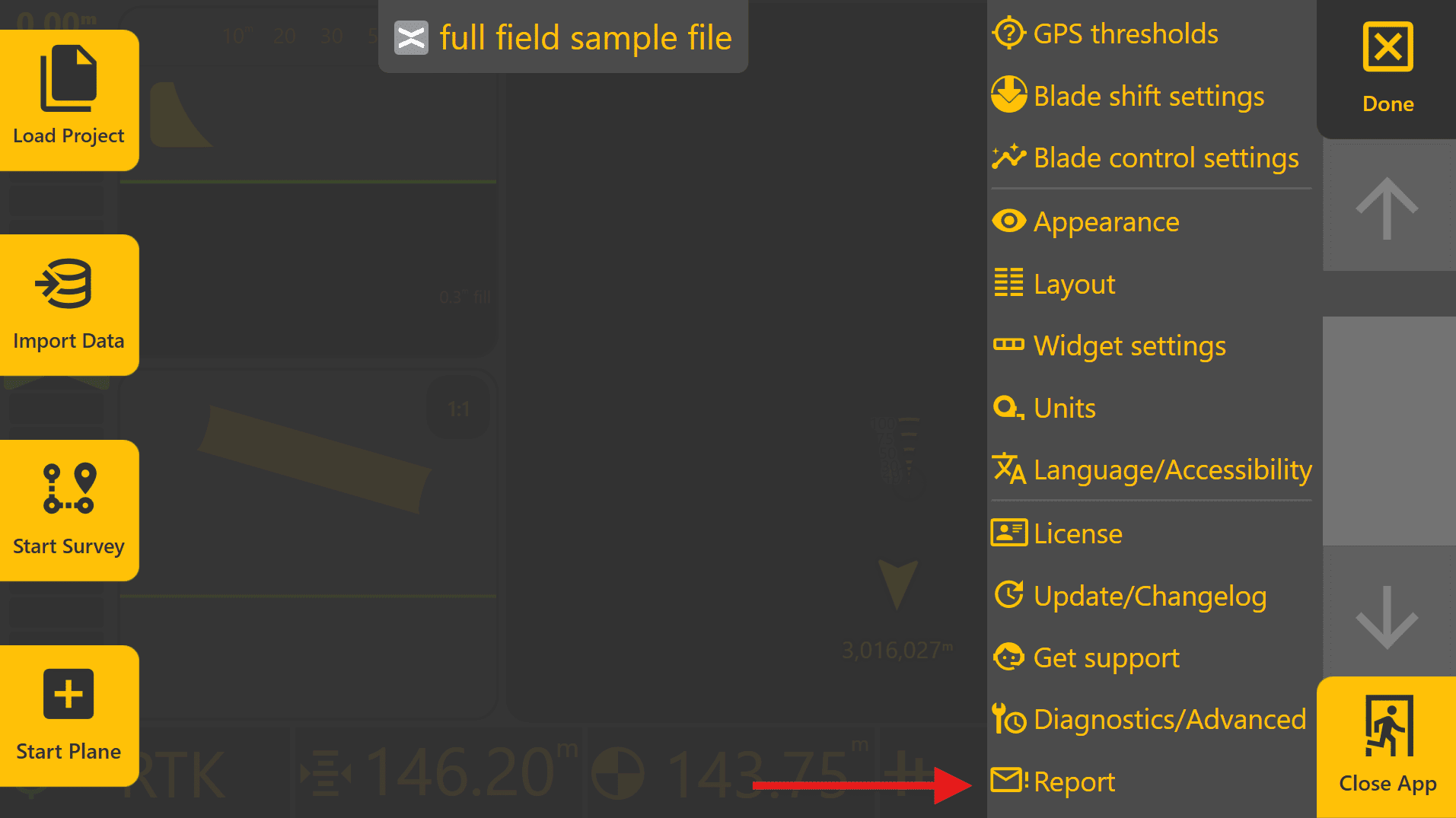
To access the Error Reporter, press More → Report.
An internet connection is required for Remote Support and sending reports.
Error Reporter
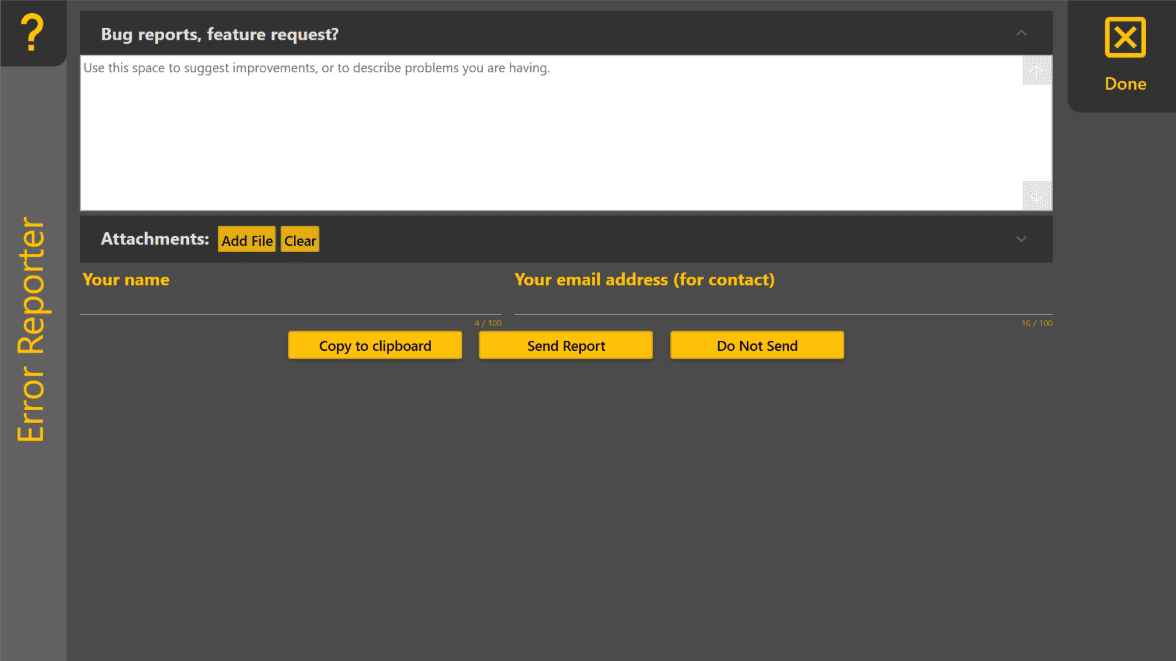
The Error Reporter allows bug reports, feature requests and other feedback to be submitted directly to T3RRA.
Your name and email address are automatically populated using the information entered on the License page.
Creating a Report
For the most useful reports:
- Clearly describe the issue or requested feature.
- Include the steps that led to the problem.
- Explain what you expected to happen and what actually occurred.
- Attach screenshots, project files or log files where available.
Supporting files can be added using Add File.
Sending or Saving a Report
The Error Reporter provides three options:
| Option | Purpose |
|---|---|
| Send Report | Sends the report and any attached files directly to T3RRA. |
| Copy to Clipboard | Copies the report contents to the clipboard for pasting into an email or other support request. |
| Do Not Send | Closes the Error Reporter without submitting the report. |
After selecting Send Report, do not close Level COMMAND until confirmation is displayed indicating that the report has been sent successfully. Closing the application too early may prevent attached files from being uploaded.
Operator Tip: The more information included with a report, the easier it is to reproduce and investigate. If possible, include screenshots, project files, log files and a clear description of the steps leading up to the issue.
Remote Support
Remote Support allows your authorised dealer to assist with troubleshooting and system configuration without requiring direct access to the machine.
To enable Remote Support:
- Press More → Get Support.
- Select Setup Remote Support.
- Wait while the Remote Support application is downloaded and installed.
- Provide the displayed support code to your dealer.
Once connected, your dealer can assist with diagnosing configuration issues and investigating system behaviour.
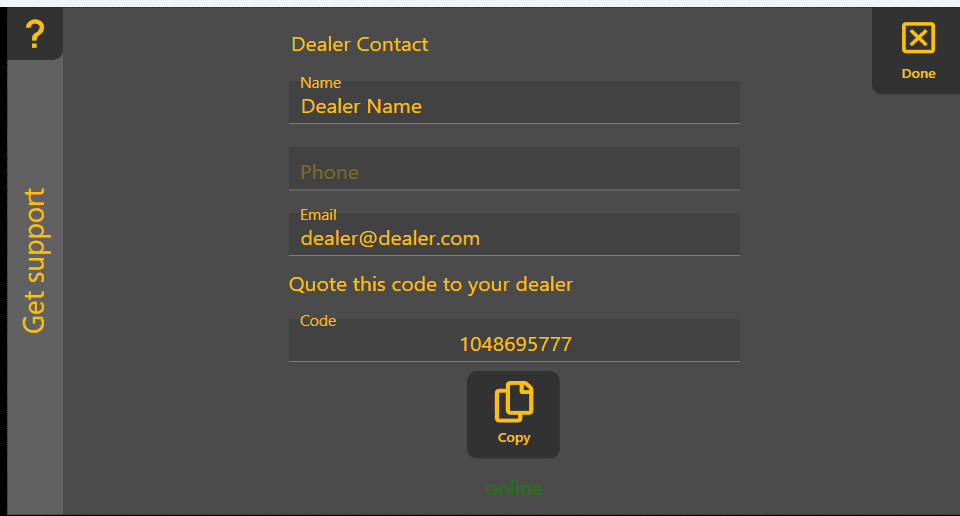
The Setup Remote Support button is only displayed if the Remote Support application has not already been installed.