7.5 | Licensing
The Licensing page is used to activate Level COMMAND and register the software for normal operation.
To open the Licensing page, press More → License.
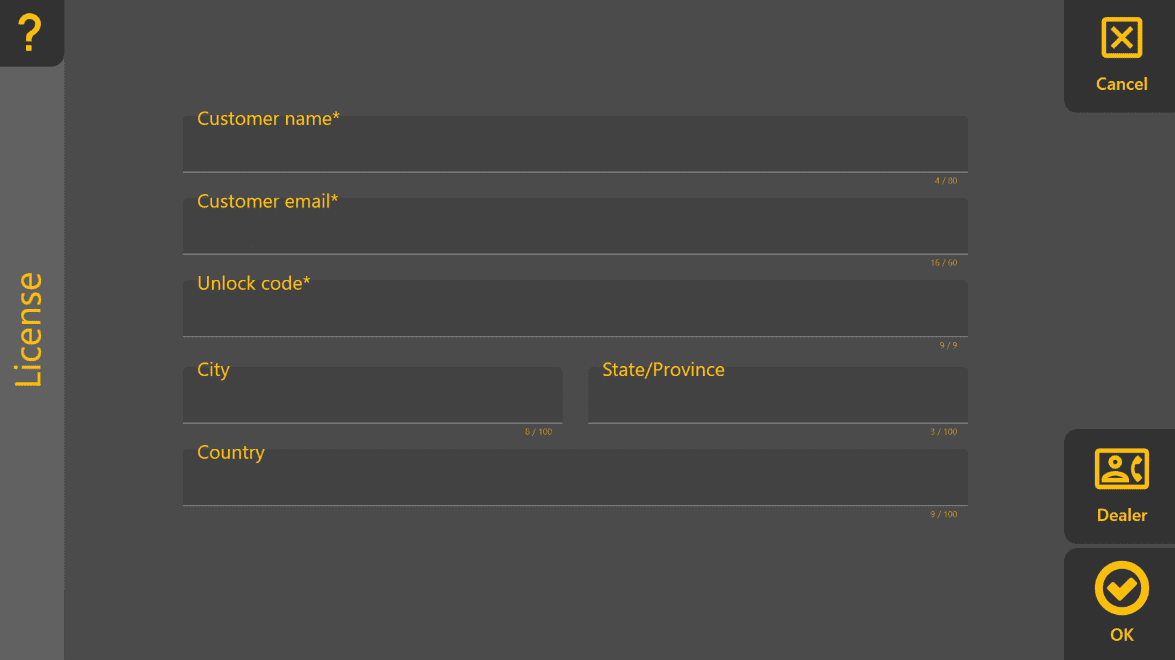
A valid licence is required for normal operation. If Level COMMAND has not been activated, a Demo Mode banner is displayed across the top of the Apply View.
Activating Level COMMAND
To activate the software:
- Press More → License.
- Enter the required customer information.
- Enter the supplied Unlock Code.
- Press OK.
The customer email address is used for licensing and product-related communication where required.
Dealer Information
Press Dealer to view the contact details of the authorised T3RRA dealer responsible for supplying or supporting the system.
This information can be useful when requesting assistance with:
- Software activation.
- Product support.
- Installation or commissioning.
- Technical enquiries.
If Activation Fails
If Level COMMAND cannot be activated:
- Verify that the Unlock Code has been entered correctly.
- Confirm that all required fields have been completed.
- Contact your authorised T3RRA dealer if the problem persists.