Connecting to an incorrect CANBUS, or having **COMMAND**'s Tractor CAN port set to the incorrect baud rate may cause tractor system errors.
## Required PartsA port replicator is included on the **T3H-M001** adapter so that other devices may be connected to the diagnostic connector when necessary without removal of **COMMAND** harnessing.
If the tractor has a Type I diagnostic connection, **T3H-X004** should be added to maintain the Type I connection for the tractor.
#### Type I J1939 Diagnostic Connection (Black) - **T3H-M001 -** COMMAND J1939 Diagnostic Adapter (Green) - **T3H-X004** - J1939 Type I-Type II diagnostic adapter #### [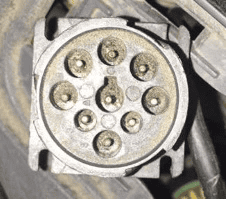](https://docs.t3rra.com/uploads/images/gallery/2025-07/Eeaqyn5Qyoq9Wnxp-image.png) #### Type II J1939 Diagnostic Connection (Green) - **T3H-M001 -** COMMAND J1939 Diagnostic Adapter (Green) #### [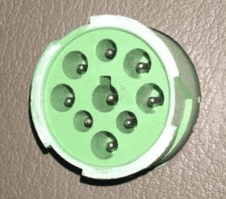](https://docs.t3rra.com/uploads/images/gallery/2025-07/fqsiIdH5VMh2NjBG-image.png) ## Connection Process 1. Connect the **T3H-M001** adapter to the appropriate diagnostic plug in the cab of the tractor. 2. Connect the **T3H-M001** adapter to the **T3H-C006** Cab Breakout Adapter. 3. If appropriate tractor data is present on the tractor bus, **COMMAND** will begin reading the data and providing it to **Level COMMAND** software. 4. Check whether any new widgets have appeared with new data in the Widgets menu of **Level** **COMMAND**. [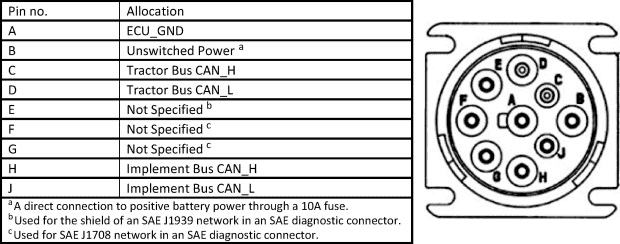](https://docs.t3rra.com/uploads/images/gallery/2025-07/sLA6D5PncKZ4YrIr-image.png)